 PH
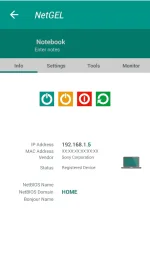
PH- Displays most important information for each device connected, IP Address, MAC Address, Vendor, Bonjour Name, NetBIOS Name and Domain.
- Wake On LAN (WOL): switch on a remote device from your phone or tablet when you are connected via wifi or with a mobile data connection.
- Secure SHell (SSH): put a remote device in sleep mode or shutdown from your phone or tablet when you are connected via wifi or with a mobile data connection.
- Loads off-line all devices of a network previously detected.
- Adds a new network or a new device manually in order to manage all functionality for a no detected device.
- Shows information about the wifi connection (external IP, signal strength, download and upload speed, subnetmask, gateway, DNS).
- Shows information about the mobile provider (external IP, signal strength, download and upload speed, CID, LAC, MCC, MNC).
- Wifi scan: find nearby wifi and displays SSID, signal strength, channel, encryption.
- Shows graphically the band width and the overlapping between channels of wifi networks.
- Monitoring and diagnostics remote devices: shows CPU usage, RAM usage and displays the available memory inside the disks.
- Monitoring access to network wifi. Receive notification when a new device or an unknown device connects to the network.
- Ping functionality. It’s possible to ping every device connected and any hostname or IP Address.
- Port scanner to scan the most common port used.
- Themes available.
- Available languages: Czech, German, Greek, English, Spanish, French, Italian, Dutch, Polish, Portuguese, Russian, Turkish and Chinese.
- Traceroute shows the route of packets that are sent from the smartphone to target host. It’s possible to see the route also on the map.
- IP calculator: this tool calculate the network parameters like netmask, CIDR, ip address range hosts number etc…
- IP location shows the position of the IP address on the map.
- MAC address lookup allow to get the vendor from MAC address.
- DNS lookup allow to get the IP address of the domain, mail server etc. Reverse DNS is supported.
- Network position shows the position on the map of the network scanned.
- Backup/Restore data on the local folder or with google drive.
- Speed test: this tool calculate the download speed and upload speed.
Possibility to choose the home page
Added vietnamese language
How to Install?
- Download Apk (link below).
- On your Android device, go to settings > security > allow unknown sources.
- Find downloaded APK on your phone and install it.
- All Done. Enjoy!
Download Links:
You do not have permission to view the full content of this post. Log in or register now.
Mirror: You do not have permission to view the full content of this post. Log in or register now.
Please. Like my Thread. Thanks!

