PH
PHAstron CC (Youtube Premium)
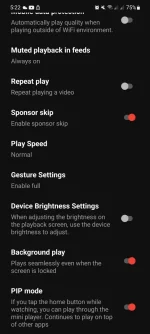
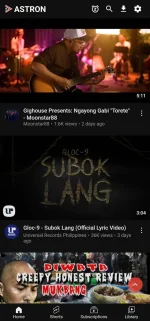
App Screenshot:
==============================
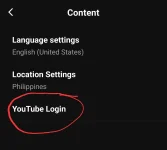
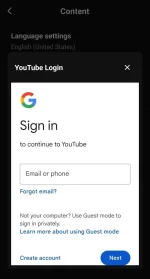
How to log in
Open settings >> content >> youtube log in
==============================
How to add other account
Open settings >> content >> accoumt conversion >> add account
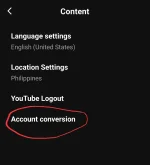
(you can add or remove/signout your account there)
==============================
Brightness and Sound Controls
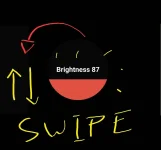
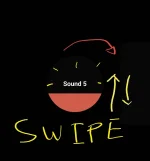
SWIPE UP & DOWN
Left for Brightness
Right for Sound
==============================
APP LINK:
You do not have permission to view the full content of this post. Log in or register now.
Pa feedback naman kung gumagana sainyo
Isang thank you lang solb na ako
- -
Credits: Github // Astroncc
App Screenshot:
==============================
How to log in
Open settings >> content >> youtube log in
==============================
How to add other account
Open settings >> content >> accoumt conversion >> add account
(you can add or remove/signout your account there)
==============================
Brightness and Sound Controls
SWIPE UP & DOWN
Left for Brightness
Right for Sound
==============================
APP LINK:
You do not have permission to view the full content of this post. Log in or register now.
Pa feedback naman kung gumagana sainyo
Isang thank you lang solb na ako
- -
Credits: Github // Astroncc