 PH
PHmossimosketcher
Eternal Poster
Professor Teaches Excel 2021 v5.0 PASSWORD ZIP 123
Download


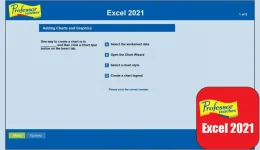
File NameProfessor Teaches Excel 2021 v5.0
Created ByIndividual Software
Version5.0
License Type full_version
Release DateMay 19, 2024
Languages English
Overview of Professor Teaches Excel 2021
The software is a comprehensive, interactive tutorial that helps users learn and improve their Excel skills, the powerful Microsoft spreadsheet software. With over 200 lessons and exercises, this software covers all of Excel's essential features and functions, making it perfect for beginners and advanced users.Features of Professor Teaches Excel 2021
- Over 200 lessons and exercises: This software includes a wide range of lessons and exercises, covering everything from basic spreadsheet creation and data entry to more advanced functions like pivot tables and macros
- Interactive and user-friendly interface: The software's interactive interface makes it easy to follow along with the lessons and practice your skills. Plus, the user-friendly design allows you to find and access the lessons and exercises you need quickly
- Hands-on training: With it, you can practice your skills in a simulated environment, allowing you to learn at your own pace and make mistakes without worrying about affecting accurate data
- Detailed explanations and examples: Each lesson includes detailed explanations and examples to help you fully understand the concepts being taught
Technical Details and System Requirements
- Windows 11, 10, 8.1, or 7
- Intel Pentium 4 processor or higher
- 2 GB of RAM
- 1024 x 768 screen resolution or higher
- DVD-ROM drive (for physical copies)
FAQs
Q: Is it suitable for beginners?A: This software is designed for both beginners and advanced users. It covers all of Excel's essential features and functions, making it perfect for anyone looking to learn or improve their skills.
Q: Can I practice my skills in a simulated environment?
A: The software includes hands-on training, allowing you to practice your skills in a simulated environment without affecting actual data.
Q: Are there detailed explanations and examples included in the lessons?
A: Each lesson includes detailed explanations and examples to help you fully understand the concepts taught.