 PH
PHHiatus san
Established
Ctto.
For Educational Purpose Only lang po.
additional knowledge lang po sa dpa po nakakaalam dun po sa nakakaalam Pa correct nalang po if mali ang Tutorials D po kasi ako magaling mag tuts. Thankyou
LOGS lang problema
Steps:
-Download Netflix Cookie Cloud Cheker
-Need may Logs na kayo DL nalang kayo sa TG marami naman free logs.
-Extract Netflix Cookie Cloud Cheker
-Open it and locate the Logs you download from TG
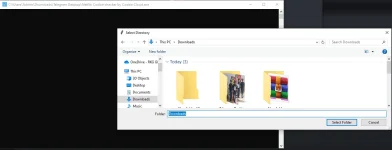
-Wait until you hit netflix Cookies.
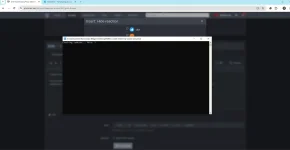 -Open hit Folder you will see the Hits Cookies from your Logs
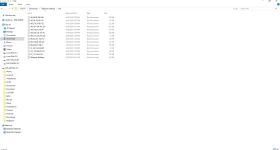
Pag meron kayong na hit na Cookies ito po next Step. Pero Not means na may na hit kayo ay gumagana agad sya minsan kasi dead na agad kaya dapat pag Fresh pa yung Logs G nyo na agad sa Cookie Cheker.
-Open Mozilla Browser
-Go to extension and add Cookie Quick Manager
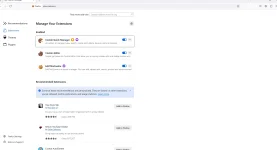
-Open Cookie Quick Manager and delete Current Context Cookie
-Now Click Cookie Quick Manager and search cookie for www. netflix. com
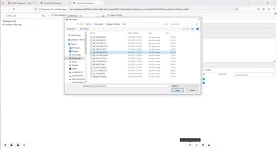
-At the bottom click restore Export/import and select Restore cookie from file

-Locate the text file Cookies you hit from your Logs and open

-You will see the Message Cookies "Successfully Restored"

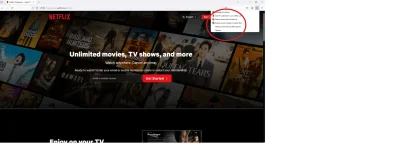
-Go to Netflix and refresh Then Boom!

If Gusto nyo naman Export ang Cookie punta kayo extension the add nyo lang Edit this cookie. Thankyou!
For Educational Purpose Only lang po.
additional knowledge lang po sa dpa po nakakaalam dun po sa nakakaalam Pa correct nalang po if mali ang Tutorials D po kasi ako magaling mag tuts. Thankyou
LOGS lang problema
Steps:
-Download Netflix Cookie Cloud Cheker
Spoiler contents are visible only to Established Members.
-Need may Logs na kayo DL nalang kayo sa TG marami naman free logs.
-Extract Netflix Cookie Cloud Cheker
-Open it and locate the Logs you download from TG
-Wait until you hit netflix Cookies.
-Open hit Folder you will see the Hits Cookies from your LogsPag meron kayong na hit na Cookies ito po next Step. Pero Not means na may na hit kayo ay gumagana agad sya minsan kasi dead na agad kaya dapat pag Fresh pa yung Logs G nyo na agad sa Cookie Cheker.
-Open Mozilla Browser
-Go to extension and add Cookie Quick Manager
-Open Cookie Quick Manager and delete Current Context Cookie
-Now Click Cookie Quick Manager and search cookie for www. netflix. com
-At the bottom click restore Export/import and select Restore cookie from file
-Locate the text file Cookies you hit from your Logs and open
-You will see the Message Cookies "Successfully Restored"
-Go to Netflix and refresh Then Boom!
If Gusto nyo naman Export ang Cookie punta kayo extension the add nyo lang Edit this cookie. Thankyou!
 keep sharing.