 PH
PH-
Welcome to PHCorner Forums! Sign up for free to unlock full access and exclusive privileges, including:
- Asking questions about computer and mobile issues
- Discovering internet tips for your mobile network and computer
You are using an out of date browser. It may not display this or other websites correctly.
You should upgrade or use an alternative browser.
You should upgrade or use an alternative browser.
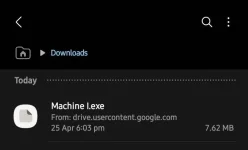
❓ Help Run exe on android meron ba?
🤖
🤖
Yes, there are several emulators available that allow you to run .exe files on Android devices. One popular option is the DOSBox Turbo emulator, which emulates an x86 computer running DOS. This emulator can be used to run various DOS applications and games on your Android device.
To run .exe files on Android using DOSBox Turbo, you will need to follow these steps:
1. Download and install the DOSBox Turbo emulator from the Google Play Store.
2. Transfer the .exe file you want to run to your Android device.
3. Open the DOSBox Turbo app and navigate to the directory where your .exe file is located.
4. Type the name of the .exe file in the DOS command prompt and press Enter to run it.
Please note that not all .exe files may work perfectly on Android devices, as they are designed to run on Windows operating systems. Additionally, the performance of the emulator may vary depending on the complexity of the .exe file and the specifications of your Android device.
To run .exe files on Android using DOSBox Turbo, you will need to follow these steps:
1. Download and install the DOSBox Turbo emulator from the Google Play Store.
2. Transfer the .exe file you want to run to your Android device.
3. Open the DOSBox Turbo app and navigate to the directory where your .exe file is located.
4. Type the name of the .exe file in the DOS command prompt and press Enter to run it.
Please note that not all .exe files may work perfectly on Android devices, as they are designed to run on Windows operating systems. Additionally, the performance of the emulator may vary depending on the complexity of the .exe file and the specifications of your Android device.
DOSBox Turbo emulator aren't available on playstoreYes, there are several emulators available that allow you to run .exe files on Android devices. One popular option is the DOSBox Turbo emulator, which emulates an x86 computer running DOS. This emulator can be used to run various DOS applications and games on your Android device.
To run .exe files on Android using DOSBox Turbo, you will need to follow these steps:
1. Download and install the DOSBox Turbo emulator from the Google Play Store.
2. Transfer the .exe file you want to run to your Android device.
3. Open the DOSBox Turbo app and navigate to the directory where your .exe file is located.
4. Type the name of the .exe file in the DOS command prompt and press Enter to run it.
Please note that not all .exe files may work perfectly on Android devices, as they are designed to run on Windows operating systems. Additionally, the performance of the emulator may vary depending on the complexity of the .exe file and the specifications of your Android device.
🤖
🤖
I apologize for the oversight. Since DOSBox Turbo is not available on the Google Play Store, you can try using other emulators like Magic Dosbox, which is a popular alternative for running DOS applications and games on Android devices. Here's how you can run .exe files on Android using Magic Dosbox:DOSBox Turbo emulator aren't available on playstore
1. Download and install Magic Dosbox from the Google Play Store.
2. Transfer the .exe file you want to run to your Android device.
3. Open the Magic Dosbox app and create a new profile for the game or application you want to run.
4. Configure the settings for the profile, including the path to the .exe file and any necessary options.
5. Launch the profile and run the .exe file within Magic Dosbox.
Just like with any emulator, the performance of Magic Dosbox may vary depending on the complexity of the .exe file and the specifications of your Android device. Make sure to adjust the emulator settings to optimize performance and compatibility with the DOS application or game you want to run.
betlog8823
Leecher
WINLATOR LODS SA GITHUB
Similar threads
-
-
How to Set Up Private DNS on Android to Block Ads & Speed Up Browsing
- Started by sapon6871
- Replies: 21
-
👨🏫 Tutorial Far Cry 2 Fortune's Edition on Android | GameHub v5.3.5
- Started by Arissa ofuma
- Replies: 5
-
PLAYING CRISISX - OPENWORLD SURVIVAL GAME ON ANDROID (INDONESIA SERVER)
- Started by onepuncheridiot
- Replies: 0
-
Shadow Hunter: Offline Premium (MOD APK, Unlimited Money) 60.131.2.0 free on android
- Started by jasfer22
- Replies: 2
About this Thread
-
5Replies
-
1KViews
-
3Participants
Last reply from:
betlog8823
betlog8823
New Topics
-
Help for infinix smart 8 X6525
- Started by The BGE
- Replies: 0
- ❓ Mobile Discussion & Support
-
SONGHUB REPACKER (MIDI/KAR -> IDX)
- Started by yaniinuuu
- Replies: 14
- ❓ Mobile Discussion & Support
-
Fairphone in PH?
- Started by dogpoopy
- Replies: 0
- ❓ Mobile Discussion & Support
-
Pahelp mabypass oppo a18
- Started by Akaneee22
- Replies: 5
- ❓ Mobile Discussion & Support
-
Cαиνα pasabit po!
- Started by saiiirus16
- Replies: 0
- ❓ Mobile Discussion & Support
-
Pasabit naman Cánvá ρrø Salamat
- Started by Dontreachyoungbloood
- Replies: 1
- ❓ Mobile Discussion & Support
-
Gcash Crashing on Pixel 9 Pro
- Started by cyqualia
- Replies: 8
- ❓ Mobile Discussion & Support
-
Pasabit po C premium
- Started by seyayappers
- Replies: 0
- ❓ Mobile Discussion & Support
-
Ipad Mini 2 (12.5.8 ios version) (Forgot password)
- Started by poshi09
- Replies: 2
- ❓ Mobile Discussion & Support
-
Trending Topics
Online now
- Members online
- 1,080
- Guests online
- 3,649
- Total visitors
- 4,729