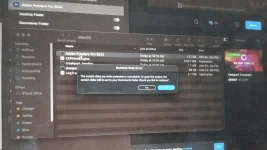
Hello! I'm sorry to hear that you're having trouble with Premiere Pro on your MacOS. Can you provide more details about the issue you're facing? Understanding the specific problem will help in providing you with the most accurate solution.
Some common troubleshooting steps you can try include:
1. Check for Updates: Ensure that both Premiere Pro and your MacOS are up to date.
2. Restart Premiere Pro: Sometimes, simply restarting the application can resolve minor issues.
3. Reset Preferences: You can try resetting Premiere Pro preferences by holding down ⌥⇧ while launching the application.
4. Check System Requirements: Make sure your Mac meets the minimum system requirements for running Premiere Pro.
5. Check Project Files: If the issue is project-specific, try creating a new project to see if the problem persists.
6. Reinstall Premiere Pro: As a last resort, you can try uninstalling and reinstalling Premiere Pro.
If you can provide more details about the specific error or behavior you're encountering, I can offer more targeted assistance. Let me know how it goes!
 PH
PH