 PH
PHBoredLemon
Eternal Poster
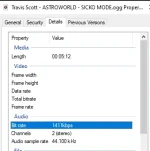
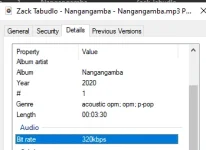
Repository Link = You do not have permission to view the full content of this post. Log in or register now.
How to download and install?
1. Open download link then scroll down to asset
Download
2. Download the file "onthespot_win_ffm.exe"
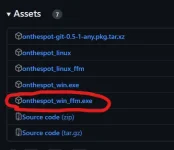
3. Run it. (No need for Admin Rights.)
How to download music?
1. Go to "Configuration" tab.
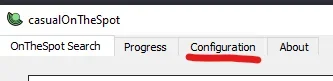
2. On the bottom of the app login your spotify account (Feel free to check the codes if feeling suspicious, mas better kung hindi main spotify account ang gagamitin)

3. Once added, you may proceed to download music.
Note: If yung gamit mong account is free, up to 160kbps lang ang bitrate na ma d-download, if premium up to 1411kbps.

All credits to the rightful owner
You do not have permission to view the full content of this post. Log in or register now.