Hello! If you've forgotten your password and you need to reset it to change your WiFi password, here are some general steps you can follow:
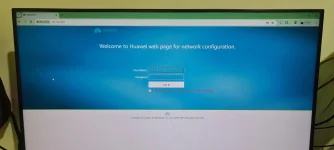
1. Access your router settings: You need to access your router's settings page. To do this, you usually need to type your router's IP address into your web browser's address bar. Common router IP addresses include 192.168.1.1 or 192.168.0.1. You can find your router's IP address on the back of your router or in the user manual.
2. Login to your router: Once you've entered the router's IP address in your browser, it will prompt you for a username and password. The default username and password are usually "admin" for both. If you've changed these and can't remember them, you might need to reset your router to its factory settings, which will erase all custom settings.
3. Change your WiFi password: After logging in, look for the Wireless or WiFi settings tab. Within this section, you should find an option to change your WiFi password. Enter your new password and save your changes.
4. Reconnect devices: After changing your WiFi password, you'll need to reconnect all your devices using the new password.
If you're not comfortable doing this yourself, you can also contact your internet service provider for assistance. They should be able to guide you through the process or even reset your password remotely. Good luck!
 PH
PH