 PH
PH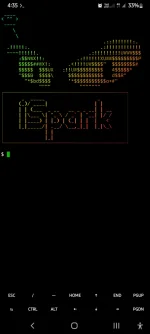
Installation(Just copy and paste the command.)
1.) apt update && apt upgrade
2.) pkg install python
3.) pkg install git
4.) git clone You do not have permission to view the full content of this post. Log in or register now.
5.) cd Termux-Theme
6.) bash Requirements.sh
7.) bash Main.sh
To remove Banner,type;
1.) cd Termux-Theme
2.) bash Remove.sh
2nd TOOL
1.) pkg install python -y
2.) pip install termux-banner
3.) banner
4 Different Types of Evil Eyes Customization
blink -to blink the evil eye during the Termux opening
blink-fast. -to blink the evil eye fast during the Termux opening
box. -to add your name banner only
evilbox. -to add both evil eye and your name in banner
To remove the banner,type;
1.) banner
2.) remove

