 PH
PHChisato-Chan
Elite
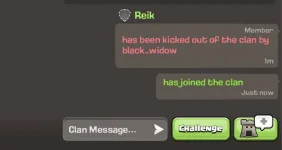
Pwede niyo po ito gawin for fun, troll, fake in-game status, etc.
Gagana lang po sa latest version ng Clash of Clans




Tutorial:
Punta po kayo sa
You do not have permission to view the full content of this post. Log in or register now.
Then click niyo yung menu
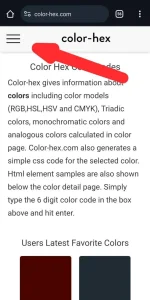
Click niyo yung color picker
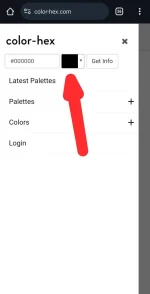
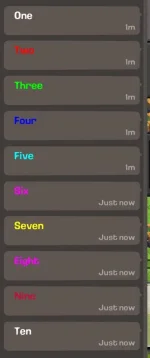
Pwede na kayo pumili ng kulay kung anong gusto niyo. Or pwede niyo din i type yung color code

Copy niyo yung color code. Hindi na kasama yung hashtag #.
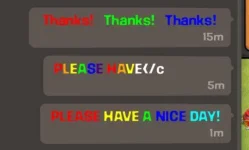
Then pwede na kayo mag chat gamit itong format:
<c(colorcode)> (your text here) </c>
Note: bago niyo itype yung color code dapat may small letter c sa pinakauna.
Sample chat with fake kick in-game status method:
<cF17580>has been kicked out of the clan by </c>
Sample Chat with fake promoted in-game status:
<c70de00>was promoted by</c>
Gagana lang po sa latest version ng Clash of Clans
Tutorial:
Punta po kayo sa
You do not have permission to view the full content of this post. Log in or register now.
Then click niyo yung menu
Click niyo yung color picker
Pwede na kayo pumili ng kulay kung anong gusto niyo. Or pwede niyo din i type yung color code
Copy niyo yung color code. Hindi na kasama yung hashtag #.
Then pwede na kayo mag chat gamit itong format:
<c(colorcode)> (your text here) </c>
Note: bago niyo itype yung color code dapat may small letter c sa pinakauna.
Sample chat with fake kick in-game status method:
<cF17580>has been kicked out of the clan by </c>
Sample Chat with fake promoted in-game status:
<c70de00>was promoted by</c>


