PH
PHJeaPrimeTV
Forum Veteran

When the installation is done, add files, including photos, pictures, and videos into Slideshow Creator. You also can add the background music you want to use.
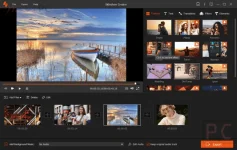
It provides 37 selections of elements like leaves, hearts, snowflakes, smiles, kisses, blink, starts, dizzy, love story, owl, lens, etc. to specify your work.
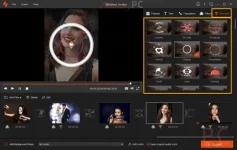
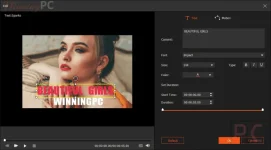
It contains 31 types of text effects for your options to change text fonts, size, types, color, duration, motion, and location adjustment.
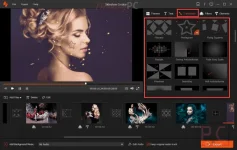
You can use 31 transition modes like fade, mosaic, squares, circle, brush, diamond, etc., and duration settings are for your preferences.
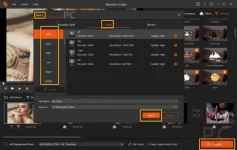
Choose the output format you want and export the slideshow video you made for watching or sharing online.
Main Features
Feature Highlights- Do you want to make your loved ones save wonderful feelings at special events? Let’s create a personalized video slideshow with pictures & videos & music. Aiseesoft Slideshow Creator allows you to create slideshow videos with photos, videos, and music. This tool will help you convert your images into videos and add background music.
- This tool enables you to import multiple pictures to your timeline for creating a slideshow for weddings, birthday parties, or graduation. It supports numerous file formats, including JPG, JPEG, PNG, BMP, TIF, TIFF, ICO, DIB, JFIF, EMF, and GIF.
- This program offers more advanced various video/photo/music editing functions for you to work with while remaining easy to use. It includes a whole variety of effects, such as contrast, saturation, brightness, temperature, hue, tint, exposure, and 3D LUT.
- Use the rotate and flip function to edit your pictures if your photos or videos are not at the right angle. For large videos, you can cut them into several small clips to easily upload or share.
- You also can make simple edits, such as cropping videos in proportion or freely deleting your unwanted parts. This software handles fast and slow-motion video playback, too, and you can mosaic the part you want to hide in your videos.
- Featuring over 120 different themes, transitions, filters, and elements, along with support for text captions, this slideshow maker really allows users to make creative video slideshows. It provides different styles and themes like simple, happy, romantic, travel, wedding, fashion, old times, etc., to create classic, horrible, or fashionable videos with ease.
- This program contains full eye-catching effects and 31 types of text effects to help you change text fonts, size, types, color, duration, motion, and location adjustments.
- There are plenty of transition effects to choose from. This includes more elaborate transitions like fade, mosaic, squares, circle, brush, diamond, etc., and duration settings.
- This tool comes with image editing that is possible on a basic level with filter effects such as whirlpool, Hong Kong movie, orange dots, purple, plain, coordinates, warm, stars, modern, and more.
- With it, you’ll have full control over all the elements on your slide. You can use keyframes like leaves, hearts, snowflakes, smile, kiss, blink, starts, dizzy, love story, owl, lens, etc., to specify your work.
- Preview is an additional function available to use after editing the video and supporting the loop playback of background audio if you input background music into the video.
You do not have permission to view the full content of this post. Log in or register now.