 PH
PHNew! Sanctum Island Dark Mode SMOOTH MAP In Mobile Legends | Config Ml Anti Lag Improved FPS - ρá†ch Aot
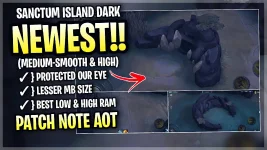
Download link:You do not have permission to view the full content of this post. Log in or register now.
▬▬▬▬▬▬▬▬▬▬▬▬▬
(Graphics Works ON)
✓ Smooth & Medium Working
✓ High Working
▬▬▬▬▬▬▬▬▬▬▬▬▬
( Important Message )
 After You Apply The Config “Restart Your Android Phone” For Better Play
 ▬▬▬▬▬▬▬▬▬▬▬▬▬▬
Features Config:
✓ Stable FPS Game
✓ War Clash 5v5 No Delay
✓ Work All Heroes
✓ Best For Low & High Ram
✓ Optimize Battlefield Map
✓ Low SIZE MB Map
✓ No River Animation
✓ Protected Our Eye While Playing

▬▬▬▬▬▬▬▬▬▬▬▬▬▬
“How to Put The Config”
1. Go To Downloads
2. Click The Folder
3. Click Extract
4. Click The Folder Again
5. Long Press Then Copy
6. Go Device Memory
7. Click Android
8. Click Data
9. Paste The Folder File
10. Done..!