 PH
PH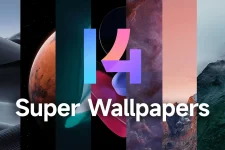
MIUI 14 Super Wallpapers have been a popular feature since the MIUI 12 update, offering users a unique and visually appealing experience on their Android devices. These animated wallpapers add a touch of dynamism to the lock screen and the home screen, providing users with stunning visuals that come to life when unlocking their phones. Thanks to the efforts of the developer Linuxct, these wallpapers can now be enjoyed on a wide range of Android devices running Android 8 and above, with the exception of systems that only support 64-bit applications, such as the Pixel 7 series.
Download first and pick what you like
 You do not have permission to view the full content of this post.
Log in or register now.
You do not have permission to view the full content of this post.
Log in or register now. Password is
Username ko lng.
How to install:
Download Google Wallpaper in the Play Store.
install the Super Wallpaper that you downloaded.
Open Google wallpaper and choose LiveWallpaper
Then choose the superwallpaper that you downloaded.
Showcase:
Device:Tecno Pova 5 Pro
