 PH
PHoutsidecap
Forum Guru
Portable Sejda PDF Desktop Pro 7.6.8 (x64) Multilingual
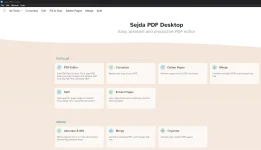
Sejda PDF Desktop Portable is one such comprehensive PDF suite that aims to be your go-to solution when it comes to managing PDFs. Just like other suites of its kind, it packs tons of useful PDF tools that make it as simple as possible for you to merge, split, compress, edit, and even convert your PDF files to a wide array of both document and image formats.FEATURES:
Merge files into one PDF.
Visually combine and reorder pages, merge multiple PDF files. Alternate and mix odd and even page files.
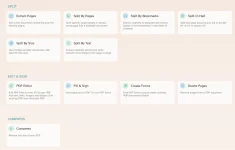
Split PDF files.
Split documents by pages. Extract separate documents. Split by size, bookmarks or text occurrences. Divide two page layout scans.
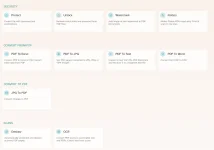
Convert PDF files to Office and image formats.
Convert PDF files to Word, Excel and to image. Convert images to PDF file.
Compress PDF.
Reduce the size of PDF files. Optimize images and resources.
Edit PDF files.
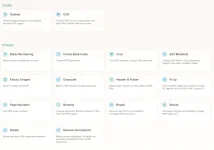
Add, edit or move text in your PDF. Change the font type, size and style. Insert, reorder, move or delete pages.
Apply PDF passwords and permissions.
Add copy and edit protection to a PDF. Include a password to protect your PDF from unapproved access.
Watermark PDF.
Add image or text watermark to PDF documents.
Grayscale PDF.
Convert PDF text and images to grayscale.
Crop PDF.
Trim PDF margins, adjust visible page area, change PDF page size.
Merge files into one PDF.
Visually combine and reorder pages, merge multiple PDF files. Alternate and mix odd and even page files.
Split PDF files.
Split documents by pages. Extract separate documents. Split by size, bookmarks or text occurrences. Divide two page layout scans.
Convert PDF files to Office and image formats.
Convert PDF files to Word, Excel and to image. Convert images to PDF file.
Compress PDF.
Reduce the size of PDF files. Optimize images and resources.
Edit PDF files.
Add, edit or move text in your PDF. Change the font type, size and style. Insert, reorder, move or delete pages.
Apply PDF passwords and permissions.
Add copy and edit protection to a PDF. Include a password to protect your PDF from unapproved access.
Watermark PDF.
Add image or text watermark to PDF documents.
Grayscale PDF.
Convert PDF text and images to grayscale.
Crop PDF.
Trim PDF margins, adjust visible page area, change PDF page size.
Download Link:
You do not have permission to view the full content of this post. Log in or register now.
Pass: outsidecap
