 PH
PHJeaPrimeTV
Forum Veteran
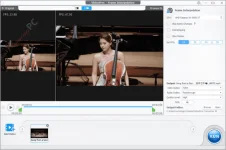
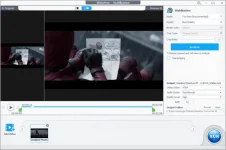
VideoProc Converter Features
Feature Highlights- Super Resolution: Elevate the quality of your videos and images by increasing their resolution by 2x, 3x, or even 4x, all without sacrificing clarity and sharpness.
- Frame Interpolation: Enhance the frames per second (fps) of your content, resulting in smoother and more fluid playback.
- Stabilization: Say goodbye to shaky footage as this feature works to correct and stabilize unsteady videos, ensuring a more professional and steady viewing experience.
- Video Converter: This tool allows you to convert any video/ audio /DVD / GIF to s to any video audio format & devices using 420+ profiles. The batch converts videos, audio, and DVDs to 420+ outputs.
- Compress: This tool also can be used to compress big 4K/8K/HDR/HD videos with the highest quality; Downscale 4K to 1080p/720p, and vice versa. Compress large/4K videos. Transcode H.264/HEVC, etc.
- Toolbox: The next advantage of VideoProc Converter software is the editing function. It helps you cut, split, crop, merge, resize, reframe, add effect/subtitle/watermark, make Gif, etc.
- DVD Converter: With the help of this versatile software you can transform your DVD collection into various formats, including MP4, AVI, multi-track MKV, MP3, and more to suit a wide range of devices and platforms such as iPhone, iPad, Android, and YouTube.
- Downloader: You also can use this tool to download video, music, playlist, and live streaming from 1000+ sites. Add, and search SRT subtitles for movie /TV series.
- Recorder: With the help of this video processing software, you can capture desktop/iOS screen/live video; record video with a webcam, make PIP video, apply green screen.
- Easy-to-use, just drag-and-drop. No.1 fast video processing speed. Support batch downloading and conversion.
Download Link
You do not have permission to view the full content of this post. Log in or register now.