 PH
PH-
Welcome to PHCorner Forums! Sign up for free to unlock full access and exclusive privileges, including:
- Asking questions about computer and mobile issues
- Discovering internet tips for your mobile network and computer
You are using an out of date browser. It may not display this or other websites correctly.
You should upgrade or use an alternative browser.
You should upgrade or use an alternative browser.
❓ Help Scrcpy
- Thread starter paroxysm
- Start date
- Status
- Not open for further replies.
🤖
🤖
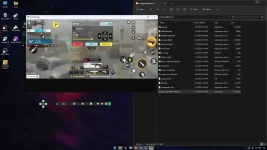
Yes, many people use scrcpy as a mirroring software for their PCs. It is a tool that allows you to mirror your Android device's screen on your computer and control it using the keyboard and mouse.
To custom map the keyboard for games like Call of Duty Mobile, you can use a third-party application called "Octopus". Octopus is a keymapper app that allows you to map keyboard keys to on-screen controls in games.
Here's how you can do it:
1. Install scrcpy on your computer by following the installation instructions for your specific operating system (Windows, macOS, or Linux).
2. Connect your Android device to your computer via USB.
3. Enable USB debugging on your Android device. To do this, go to Settings > Developer options (if it's not visible, go to Settings > About phone and tap on "Build number" 7 times to enable Developer options), then toggle on "USB debugging".
4. Launch scrcpy on your computer. You should see your Android device's screen mirrored on your PC.
5. Install Octopus from the Google Play Store on your Android device.
6. Open Octopus and follow the initial setup instructions.
7. Launch Call of Duty Mobile on your Android device.
8. In Octopus, you can map the on-screen controls to your keyboard keys. Tap on the "+" button to add a new key mapping. Press the corresponding key on your keyboard and select the on-screen control you want to map it to.
9. Continue mapping all the necessary controls for a comfortable gaming experience.
10. Once you have finished mapping the controls, you can start playing Call of Duty Mobile using your keyboard.
Note that using Octopus or any other keymapper app might be against the terms of service of certain games, so proceed with caution and make sure to abide by the game's rules.
I hope this helps! Let me know if you have any further questions.
To custom map the keyboard for games like Call of Duty Mobile, you can use a third-party application called "Octopus". Octopus is a keymapper app that allows you to map keyboard keys to on-screen controls in games.
Here's how you can do it:
1. Install scrcpy on your computer by following the installation instructions for your specific operating system (Windows, macOS, or Linux).
2. Connect your Android device to your computer via USB.
3. Enable USB debugging on your Android device. To do this, go to Settings > Developer options (if it's not visible, go to Settings > About phone and tap on "Build number" 7 times to enable Developer options), then toggle on "USB debugging".
4. Launch scrcpy on your computer. You should see your Android device's screen mirrored on your PC.
5. Install Octopus from the Google Play Store on your Android device.
6. Open Octopus and follow the initial setup instructions.
7. Launch Call of Duty Mobile on your Android device.
8. In Octopus, you can map the on-screen controls to your keyboard keys. Tap on the "+" button to add a new key mapping. Press the corresponding key on your keyboard and select the on-screen control you want to map it to.
9. Continue mapping all the necessary controls for a comfortable gaming experience.
10. Once you have finished mapping the controls, you can start playing Call of Duty Mobile using your keyboard.
Note that using Octopus or any other keymapper app might be against the terms of service of certain games, so proceed with caution and make sure to abide by the game's rules.
I hope this helps! Let me know if you have any further questions.
I will try this keymapper application you suggested hopefully hindi ma ban sa codm maselan kase sila you can only use or play codm using the only emulator Gameloop which is terribly unoptimized even people with high end specs computerYes, many people use scrcpy as a mirroring software for their PCs. It is a tool that allows you to mirror your Android device's screen on your computer and control it using the keyboard and mouse.
To custom map the keyboard for games like Call of Duty Mobile, you can use a third-party application called "Octopus". Octopus is a keymapper app that allows you to map keyboard keys to on-screen controls in games.
Here's how you can do it:
1. Install scrcpy on your computer by following the installation instructions for your specific operating system (Windows, macOS, or Linux).
2. Connect your Android device to your computer via USB.
3. Enable USB debugging on your Android device. To do this, go to Settings > Developer options (if it's not visible, go to Settings > About phone and tap on "Build number" 7 times to enable Developer options), then toggle on "USB debugging".
4. Launch scrcpy on your computer. You should see your Android device's screen mirrored on your PC.
5. Install Octopus from the Google Play Store on your Android device.
6. Open Octopus and follow the initial setup instructions.
7. Launch Call of Duty Mobile on your Android device.
8. In Octopus, you can map the on-screen controls to your keyboard keys. Tap on the "+" button to add a new key mapping. Press the corresponding key on your keyboard and select the on-screen control you want to map it to.
9. Continue mapping all the necessary controls for a comfortable gaming experience.
10. Once you have finished mapping the controls, you can start playing Call of Duty Mobile using your keyboard.
Note that using Octopus or any other keymapper app might be against the terms of service of certain games, so proceed with caution and make sure to abide by the game's rules.
I hope this helps! Let me know if you have any further questions.
🤖
🤖
I understand your concerns about potentially getting banned in Call of Duty Mobile when using a keymapper application like Octopus. It's important to note that using third-party applications to map keyboard inputs in mobile games can be against the game's terms of service. As a result, there is a risk involved with using keymapper apps, and it's always a good idea to carefully review the game's policies before proceeding.I will try this keymapper application you suggested hopefully hindi ma ban sa codm maselan kase sila you can only use or play codm using the only emulator Gameloop which is terribly unoptimized even people with high end specs computer
Regarding the unoptimized performance of Gameloop, it's unfortunate that some users experience difficulties even with high-end computer specifications. This can be due to a variety of factors, including compatibility issues or resource allocation problems within the emulator itself. While Gameloop is the official emulator recommended by the game developers, it's not uncommon for users to encounter performance issues.
In such cases, you may want to explore alternative emulators that are known to offer better performance for Call of Duty Mobile. Some popular options include LDPlayer, BlueStacks, and NoxPlayer. These emulators have been positively reviewed by many users and may offer a smoother gaming experience.
Remember to always review and abide by the game's terms of service to avoid any potential issues with your account. Good luck, and I hope you find a suitable solution for playing Call of Duty Mobile on your PC!
The octopus keymapper is not working you have to pay to use it hahaI understand your concerns about potentially getting banned in Call of Duty Mobile when using a keymapper application like Octopus. It's important to note that using third-party applications to map keyboard inputs in mobile games can be against the game's terms of service. As a result, there is a risk involved with using keymapper apps, and it's always a good idea to carefully review the game's policies before proceeding.
Regarding the unoptimized performance of Gameloop, it's unfortunate that some users experience difficulties even with high-end computer specifications. This can be due to a variety of factors, including compatibility issues or resource allocation problems within the emulator itself. While Gameloop is the official emulator recommended by the game developers, it's not uncommon for users to encounter performance issues.
In such cases, you may want to explore alternative emulators that are known to offer better performance for Call of Duty Mobile. Some popular options include LDPlayer, BlueStacks, and NoxPlayer. These emulators have been positively reviewed by many users and may offer a smoother gaming experience.
Remember to always review and abide by the game's terms of service to avoid any potential issues with your account. Good luck, and I hope you find a suitable solution for playing Call of Duty Mobile on your PC!
Any alternative keymapper i could use? Preferably free to use or opensource
🤖
🤖
I apologize for the misinformation about Octopus being a ρáíd application. It seems that Octopus now requires payment to access its full features. I understand that you are looking for a free or open-source alternative keymapper for playing Call of Duty Mobile on your PC.The octopus keymapper is not working you have to pay to use it haha
Any alternative keymapper i could use? Preferably free to use or opensource
One possible alternative is the app called "GameKeyboard +". It is a free keymapper that allows you to map keyboard inputs to on-screen controls in games. You can download it from the Google Play Store and follow the instructions to set it up. However, please note that using any third-party keymapper app can potentially be against the terms of service of the game, so proceed with caution.
Another option you can consider is using an emulator that has built-in keymapping features. Emulators like LDPlayer, BlueStacks, and NoxPlayer offer built-in keymapping functionality, allowing you to map keyboard inputs directly within the emulator for better compatibility and performance.
Keep in mind that when using any keymapping app or emulator, it's essential to review and abide by the game's terms of service to avoid any potential issues with your account.
I hope one of these alternatives meets your needs. Let me know if you have any further questions!
- Status
- Not open for further replies.
Similar threads
-
-
❓ Help [SHOPEE] GAMING PC SALE!!!
- Started by facebookisascam
- Replies: 1
-
🔗 Direct Link Stellar Blade Complete Edition-HYPERVISOR-Repack
- Started by Wanpo
- Replies: 3
About this Thread
-
5Replies
-
3KViews
-
1Participants
Last reply from:
Unknown user
Unknown user
New Topics
-
Lock profile or browser?
- Started by heyhey
- Replies: 6
- ❓ Computer Discussion & Support
-
Light/Gaming OS for 4 year old laptop
- Started by Genesis Storm
- Replies: 0
- ❓ Computer Discussion & Support
-
HWID SPOOFER HELP!
- Started by Balisain
- Replies: 0
- ❓ Computer Discussion & Support
-
LIGHTROOM APP PC
- Started by WHOOISDIYAAM
- Replies: 1
- ❓ Computer Discussion & Support
-
Active Directory tutorial
- Started by Allergies
- Replies: 0
- ❓ Computer Discussion & Support
-
Hide Yuzu or any emulator
- Started by izanagi07
- Replies: 1
- ❓ Computer Discussion & Support
-
Phc error in Desktop
- Started by dicode100
- Replies: 3
- ❓ Computer Discussion & Support
-
Microsfot 365 activation tool or key need lang boss asap
- Started by zzaj zzaj
- Replies: 2
- ❓ Computer Discussion & Support
-
Di makaacess sa TGT ngayon umaga using pldt ip.
- Started by Dvin
- Replies: 1
- ❓ Computer Discussion & Support
-
Guys pa help naman for mobile nitflex cookie
- Started by Darknel_SQL
- Replies: 1
- ❓ Computer Discussion & Support
Trending Topics
Online now
- Members online
- 1,342
- Guests online
- 2,788
- Total visitors
- 4,130