 PH
PHNo liabilities
Elite
ituro ko po yung pinaksimple pano gumawa ng m3u playlist.. ito na lols
1. go to You do not have permission to view the full content of this post. Log in or register now.
2. create an account
3. create playlist, enter your desired playlist name
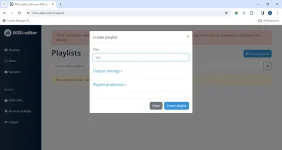
4. import from m3u, select import m3u url. You need an m3u account for this
5. enter your m3u account
6. click select groups to import
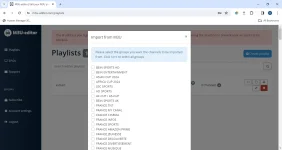
7. click the arrow beside the channels
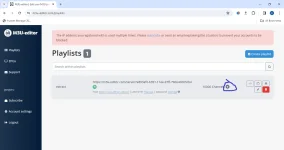
5. click the edit button
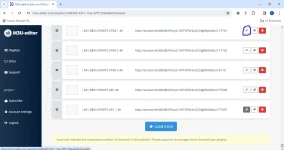
6. you can see the links being extracted..
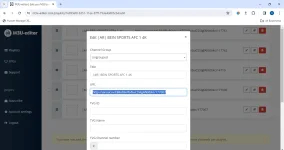
7. make another playlist if you want to choose only m3u links that you only need to watch
PS: as for the logo 's and tvg id's just download a png channel logo from google and upload it on your desired live tv channel.. the tvg id is the same as the name of the live channel... this m3u editor website is the most user friendly m3u editor online.. and it has the cheapest monthly subscription as low as 2$ a month..
cheers!!
1. go to You do not have permission to view the full content of this post. Log in or register now.
2. create an account
3. create playlist, enter your desired playlist name
4. import from m3u, select import m3u url. You need an m3u account for this
5. enter your m3u account
6. click select groups to import
7. click the arrow beside the channels
5. click the edit button
6. you can see the links being extracted..
7. make another playlist if you want to choose only m3u links that you only need to watch
PS: as for the logo 's and tvg id's just download a png channel logo from google and upload it on your desired live tv channel.. the tvg id is the same as the name of the live channel... this m3u editor website is the most user friendly m3u editor online.. and it has the cheapest monthly subscription as low as 2$ a month..
cheers!!
