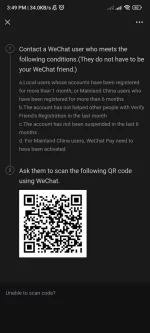
Hello! Sure, I'd be happy to help you with scanning QR codes on WeChat.
To scan a QR code on WeChat, follow these steps:
1. Open the WeChat app on your phone.
2. Tap on the "Discover" tab at the bottom of the screen.
3. Look for and tap on the "Scan QR Code" option.
4. Allow WeChat to access your camera if prompted.
5. Position your phone's camera over the QR code, making sure it's within the frame.
6. Wait for WeChat to recognize the QR code. It will automatically scan it.
7. Once the QR code is successfully scanned, you will be redirected to the corresponding content, such as a website, a contact, or an official WeChat account.
If you encounter any issues, make sure you have granted WeChat permission to access your camera and that you have a stable internet connection. It's also important to ensure that the QR code is clear and not damaged.
I hope this helps! Let me know if you have any more questions.
 PH
PH