 PH
PHShare ko lang itong OS na gamit ko ngayon mga idol, Sobrang bumilis Old PC ko dahil dito, kayo na humusga 
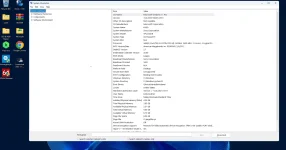
Eto specs ng PC ko(HDD nga pala gamit ko)
Ram usage
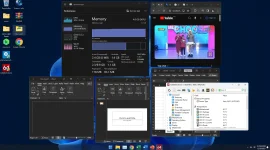
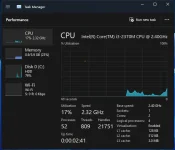
Idle ram usage
Details ng OS.
Windows 11 234H2 Pro (Build 22631.2428) AMD64
What's Hot!?
More Details sa WindowsXlitedotcom Ultralight Builds Windows X-Lite 'Micro 11 24H2'
Download
Eto specs ng PC ko(HDD nga pala gamit ko)
Ram usage
Idle ram usage
Details ng OS.
Windows 11 234H2 Pro (Build 22631.2428) AMD64
• Metered connection is enabled by default in this build. We highly
recommend leaving it enabled. This means Windows will not automatically
download drivers for your PC, so we recommend downloading drivers directly
from the MFG for your PC instead!
• Windows Update Service and Windows Firewall are also disabled by default,
but can be easily enabled through the Start Menu - X-Lite Tools Folder.
You'll need to enable the Windows Update Service to use the Microsoft
Store, and to install additional Language Packs.
What's Hot!?
• 1.6GB ISO!
• 3GB Installed Size!
• Virtual Memory enabled by default!
• Improved Stability and Performance!
• Includes Optional System Transparency!
• Extreme Performance for your Apps and Games!
• Integrated Intel RST & Serial IO Drivers into Windows Setup!
• Full Support for UWP Apps, Xbox, MS Store and much more!
• Updated Framework, Runtime Libraries, and Desktop App Installer!
• Includes Custom Themes, Cursors, Icons, Wallpaper, and Much More!
• Additional Improvements and Optimizations!
• Includes Updated Microsoft Store Installer!
• No Pre-installed UWP Apps!
• Full Support for Legacy PC's
• Full Support for Desktops, Laptops, and Tablet PC's
• Full Support for Additional Language Packs
• Designed to Breathe New Life into your PC
 Designed to work on All PC's. Old or new, weak or strong, Desktop or Laptop.
Removed Features - Cortana, Smart Screen, Edge, UWP Apps, BitLocker, Hyper-V, WSL2, One Drive, Smart Card, Windows Defender, Windows Mail, Backup and Restore, Telemetry, Diagnostics, Troubleshooting, Maps, Optional Feature Support (WSL2, Hyper-V, Sandbox, etc.), Update Support, Component Store, Speech, Voice Activation, Some Fonts.
Disabled Features - Error Reporting, Indexing, UAC, Ads, Hibernation, Power Throttling,
Enabled Features - DirectPlay, .NET Framework 3.5, SMB1.
Performance Prioritized! - This build has been designed to Maximize Performance, Responsiveness, and Resource Savings.
• Use Rufus ONLY to write the ISO to a USB Drive.
• Boot from the USB Drive, and Perform a Clean Installation to your desired partition.
• *Your PC Will Reboot Once, Shortly After Installation Completes.
• Minimum Requirements: 2GB RAM, 7GB Storage Space.
More Details sa WindowsXlitedotcom Ultralight Builds Windows X-Lite 'Micro 11 24H2'
Download