 PH
PHPHC - phryx
Elite
EARLY 2024 - TOKEN LAUNCH AND DISTRIBUTION
Ito mga LODis, summarized ko na whitepaper nila para mas mas madali natin makuha kung ano ang goal nila.
Nasa sa inyo po kung sasali po kayo or hindi, Gusto ko lang mag share ng mga possible makakuha ng pera. maliit man or malaki.
Ito mga LODis, summarized ko na whitepaper nila para mas mas madali natin makuha kung ano ang goal nila.
Nasa sa inyo po kung sasali po kayo or hindi, Gusto ko lang mag share ng mga possible makakuha ng pera. maliit man or malaki.
D O P ( DATA OWNERSHIP PROTOCOL )
Problem: Blockchain data, like account balances and transactions, is public by default. This lack of privacy discourages participation from users who value financial discretion.Solution: DOP empowers users with selective disclosure of their blockchain data. They can choose what information is publicly visible and what remains private.
Key Features:
- Selective disclosure: Users control what data they share about their tokens, NFTs, and transactions.
- Interoperability: Works with existing Ethereum dApps and wallets.
- Internal ecosystem: Supports native dApps built with DOP features.
- Privacy tools: Zero-knowledge proofs and encryption protect user data.
- Deflationary tokenomics: DOP token burning and buybacks reduce supply and increase value.
- More users: Privacy attracts individuals and organizations who wouldn't participate in public blockchains.
- New use cases: Enables private NFT purchases, selective token visibility, and custom NFT narratives.
- Deeper engagement: Users can manage their digital footprint and control their online exposure.
Overall, DOP aims to break the "all-or-nothing" privacy dilemma inherent in public blockchains. By giving users control over their data, DOP enables wider adoption and fosters new privacy-preserving applications.
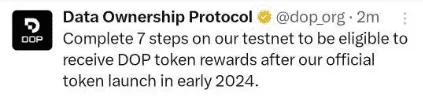

STEPS
Open in PC/Mises Browser :You do not have permission to view the full content of this post. Log in or register now.
- Create Wallet
- Save Phrase and Tap to select to Backup
- Copy and save your Secret keys
- Now let's pass Tasks
Connect Twitter & Metamask
- Claim Tokens
- When you get to Encrypt
- Wait for some mins until your tokens lands
- Select any Token
- Enter 2000 & Encrypt it
- Send 500 to Address/Metamask Address
- Now, Decrypt and enter 500
- Enter E-mail & Done
- Done Wait for Announcement
