PH
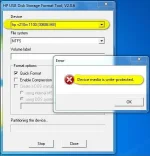
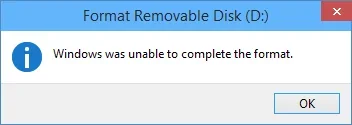
PH(SOME ERRORs of hard disk or Flash Drive that cannot let you format or detect. )
Hello mga ka-PH
First Steps: (NOTE: make Sure all devices are connected)
1- Open CMD.exe (Command Prompt) on START MENU
Then Type: DISKPART
then enter
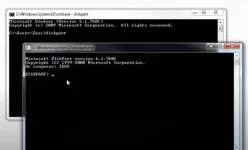
then Type: List disk
then enter
Choose the Disk Volume where you wanna REPAIR
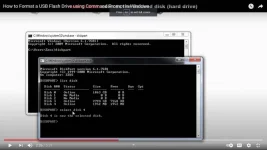
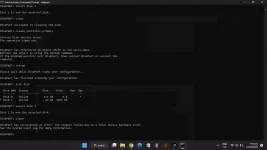
then Type: clean
then enter
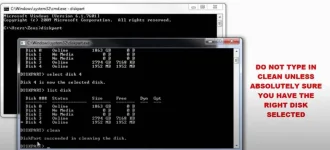
then type: create partition primary
then enter,
if successful just follow
then type: select partition 1 THEN ENTER
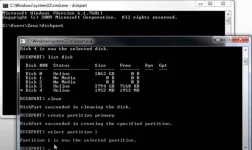
THE LAST PART to REPAIR.
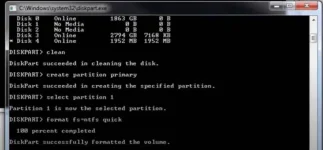
type:
-format fs=ntfs quick THEN ENTER
when successful
type:
-active THEN ENTER
EVERYTHING IS FIX. YOU ARE NOW GOOD TO GO!!
hit like nalang kung naka tulong
Hello mga ka-PH
First Steps: (NOTE: make Sure all devices are connected)
1- Open CMD.exe (Command Prompt) on START MENU
Then Type: DISKPART
then enter
then Type: List disk
then enter
Choose the Disk Volume where you wanna REPAIR
then Type: clean
then enter
then type: create partition primary
then enter,
if successful just follow
then type: select partition 1 THEN ENTER
THE LAST PART to REPAIR.
type:
-format fs=ntfs quick THEN ENTER
when successful
type:
-active THEN ENTER
EVERYTHING IS FIX. YOU ARE NOW GOOD TO GO!!
hit like nalang kung naka tulong