PH
PH

This program is a security solution for your devices that creates secure, encrypted and anonymous Internet access. The purpose of a VPN solution is primarily to prevent a third party like companies and governments from enabling and monitoring your online communications.
The benefits of using a VPN solution are that all data traffic is transmitted through a secure and encrypted connection. Especially companies have enjoyed VPN solutions and now private individuals have also begun to appreciate the concept of keeping their Internet and data traffic encrypted and without the possibility of monitoring.
Avira Phantom VPN is a VPN solution that meets all of the standards within the genre and you can use the program under Windows and Macintosh, as well as on Android and iOS devices. Whether on your laptop or smartphone, Avira Phantom VPN masks your IP address, safeguards your private data and secures your connection on all networks.
1400 servers in 37 countries around the world
Select the country you wish to tunnel through to anonymously and securely access your favorite websites—all with two clicks.
What’s inside?
The latest technologies
Repack Features
1. Pro version
2. The ability to reset the traffic counter when the traffic limit is reached*
3. Multilingual interface**
4. Telemetry is disabled (collection of user data)
5. Blocked self-renewal
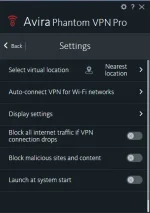
6. Some changes in the interface
*Resetting the traffic counter (AutoIt script) available from the Start menu (Avira\Reset traffic counter)
or directly from the main window (after the click on the link press "Run").
To set a language other than English, you need:
close the program from the tray (if running)
open in Notepad the Avira.WebAppHost.exe.config file (usually it's C:\Program Files (x86)\Avira\VPN)
find the line <value>en-US</value> in it
replace en-US with the desired language from the following:
open in Notepad the Avira.WebAppHost.exe.config file (usually it's C:\Program Files (x86)\Avira\VPN)
find the line <value>en-US</value> in it
replace en-US with the desired language from the following:
de-DE / es-ES / fr-FR / it-IT / ja-JP / nl-NL / pt-BR / tr-TR / zh-CN / zh-TW
For the "silent" unpacking of the portable version, the additional key /PORTABLE=1 (or the file "Unpack Portable.cmd")
ATTENTION!!! If for some reason the firewall blocks a program add in exceptions
C:\Program Files (x86)\Avira\VPN\OpenVpn\phantomvpn.exe
ATTENTION!!! Reset traffic counter script can be blocked Avira Antivirus

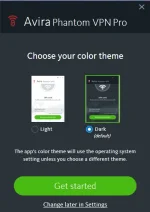
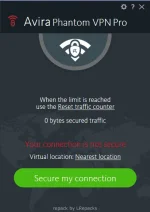
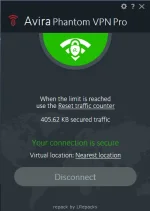

See the "Readme" text file.
System Requirements
Windows 7 and later
Download
ZIP PASS: Zuzanoo
ZIP PASS: Zuzanoo