 PH
PHMichishio Nagasumi
Honorary Poster
there is a folder shared with me via the network pero pag binubuksan ko mga pdf file hindi mabuksan.
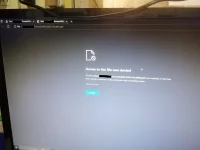
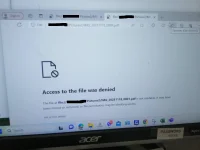
windows 11 home yung server taz yung folder nakashare na sa lahat ng pc..anong windows ng kabilang pc mo? baka di maayos config sa network sharing po
eto boss sundan mo yanyung folder na naka share di maayos ung security right click mo lang ung folder then check the security tab pwede mo lagyan ng permission for your pc pwede din pang everyone check mo lang
try ko tomorrow kalikutinyung folder na naka share di maayos ung security right click mo lang ung folder then check the security tab pwede mo lagyan ng permission for your pc pwede din pang everyone check mo lang

try ko din to since na-oopen naman yung ibang files sa shared folderTry mo iopen yang pdf sa pdf application like adobe reader, sumatra pdf else may mali ang shared folder permission.
ah ngayon mo lang na sabi yan na open pa ibang files sa shared folder try google chrome if gagana yan?try ko din to since na-oopen naman yung ibang files sa shared folder