PH
PHTry nyo mga lodicakes 
Step 1 : Download "Kiwi Browser" in PlayStore.
Step 2: Download the cookie editor (1.12.1) file here.
You do not have permission to view the full content of this post. Log in or register now.
Step 3: Open your Kiwi Browser > go to Menu > click Extensions > click +(from.zip....)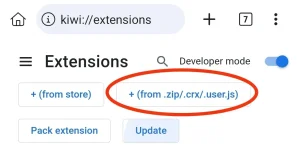
Step 4: Select the folder where you saved the downloaded .zip file and it will automatically add to your extensions.
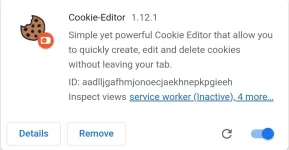
Step 5: Now you can import cookies again on your cookie editor.
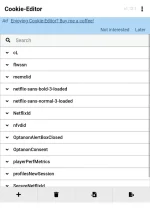
Try nyo nlang mga paps if working sa phone nyo, sa akin working po tsaka playable videos. Don't forget to send feedbacks mga ka lodi. Thankyou & more power 


Can't take screenshot while playing videos po.