๐Ÿ”‘ Code/Key Netflix tv code PH account

Paki basa po

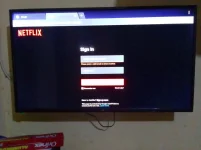
To log in to Netflix using a TV code, you need to follow these steps:

Turn on your TV and the device you use to stream Netflix (e.g., a smart TV, streaming media player, or gaming console).

Make sure your device is connected to the internet.

On your TV, launch the Netflix app.

You should see an option to "Sign In" or "Log In." Select that option.

Instead of entering your email and password, look for an option that says something like "Login with a code" or "Enter a code."

Your TV should then display an 8-character code on the screen.

On a computer or mobile device, go to the Netflix website (You do not have permission to view the full content of this post. Log in or register now.) and sign in to your Netflix account.

Click on your profile icon in the top right corner, and select "Account."

Under the "Settings" section, click on "Sign out of all devices."

Once you've signed out of all devices, go back to the TV and enter the 8-character code that's displayed on the screen.

After entering the code, your TV should be linked to your Netflix account, and you should be logged in.

Please note that the steps may vary slightly depending on your specific device and Netflix app version, so make sure to follow the on-screen instructions provided by the app on your TV.
 

About this Thread

  • 29
    Replies
  • 331
    Views
  • 20
    Participants
Last reply from:
ckeeey17

Trending Topics

Online now

Members online
1,084
Guests online
3,918
Total visitors
5,002

Forum statistics

Threads
2,289,739
Posts
29,060,310
Members
1,212,956
Latest member
Alisson2005
Back
Top