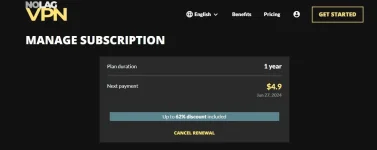
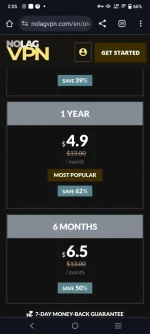
Thankyou Caterpie the best ka talaga
hala master aba berde ka na rin po pala congrats po uwu..
explorer 2021
View attachment 2805884Salub
Support ts.....

Thankyou
View attachment 2806026
Naka login anong Sunod saan e download
If you're specifically looking for the "NolagVPN" app on your Android device, you can follow these steps to download and install it from the Google Play Store:
1. Open Google Play Store:
Unlock your Android device and open the Google Play Store.
2. Search for NolagVPN:
In the search bar at the top of the Play Store, type "NolagVPN" and press "Search."
3. Select and Install NolagVPN:
When the NolagVPN app appears in the search results, click on it to open its page. Then, click the "Install" button to download and install the app.
Open NolagVPN:
After the installation is complete, open the NolagVPN app from your app drawer or by tapping "Open" in the Play Store.
Set Up and Use NolagVPN:
Follow the on-screen instructions to set up and use the NolagVPN app. You may need to create an account, choose a server, and connect to the VPN.
Please note that the performance and reliability of NolagVPN can vary, and the level of lag or latency you experience may depend on factors such as the server location you choose and your internet connection. It's a good idea to select a server location that is geographically closer to your physical location for a smoother experience.
 PH
PH