 PH
PHZerojhe101
𝔖𝔥𝔞𝔡𝔬𝔴
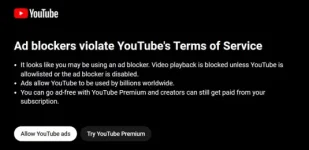
Disable YouTube ADs Popup
- Download and install uBlock Origin
(You do not have permission to view the full content of this post. Log in or register now. Remove all existing adblock extensions on your browser.
- Select “uBlock Origin” from extensions tab and click on the settings icon.
- Click on the “My filters” tab.
- Copy and paste the following code:
youtube.com##+js(set, yt.config_.openPopupConfig.supportedPopups.adBlockMessageViewModel, false)
youtube.com##+js(set, Object.prototype.adBlocksFound, 0)
youtube.com##+js(set, ytplayer.config.args.raw_player_response.adPlacements, [])
youtube.com##+js(set, Object.prototype.hasAllowedInstreamAd, true)
- Click on “Apply changes” and try watching some YouTube videos.
Done! The YouTube Ad blockage popup as well as the Ads should be gone now.
Baka Meron hindi pa nakaka alam nito share ko nalng

Source: TG
 hindi tayo mapipigilan ni youtube