PH
PHsince napagana mo na sa cp and browser mo, pwede kna mag ipv4, meaning naauthorize na yung wan IP mo kasi ginamit mo ung smart dns na DoT and DoH.ty lods . gumana sa cp ko at sa browser. try ko explore mamaya sa TV namin
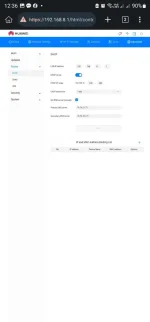
For router, modem or smart/android tv: Choose any of the two ipv4 provided above, but before using IPv4 sa router, modem, smart tv or android tv, make sure napagana nyo muna kahit ano sa DNS-over-TLS/DoQ (DoT) or DNS-over-HTTPS/3 (DoH) dahil pag DoT or DoH ginamit nyo, it will auto authorize your IP right away kay controlD, unlike using legacy IPv4 directly to your devices, di nya marerecognize IP nyo, need pa ipa-manual add yung wan IP sa controlD para mapagana. So first, try to use DoH for pc browser or DoT sa cp, pag gumana na, remove DoT or DoH then pwede na kayo mag ipv4 sa mga devices na nabanggit. Pag napagana nyo yan especially sa router nyo, lahat ng nkaconnect sa wifi nyo, same ndin ang outcome, no ads na sa YT. Repeat process lang pag nagchange IP nyo, dynamic kasi IP ng residential, from time to time matic tayo nagpapalit ng wan IP. Kaya if may spare kayo na cp, iwan nyo na DoT dun para khit magpalit kayo ng IP, auto authorize agad wan IP nyo.
eto lods ang hindi ko maintindihan .sorry newbie dito sa DNS haha
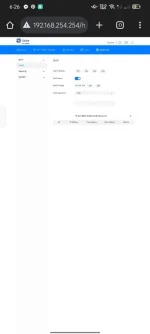
login ka nlng s router mo, then hanapin mo yung dns settings non, lagay mo isa sa ipv4 na nsa 1st page okay na yan