 PH
PHThis is the step by step tutorial to fix cookie editor extension issues with newly installed Kiwi Browser on your mobile phone 
1. Download the cookie editor (1.12.1) file here.
Download
2. Open your Kiwi Browser > go to Menu > click Extensions > click +(from.zip....)
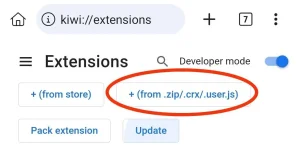
3. Select the folder where you saved the downloaded .zip file and it will automatically add to your extensions.
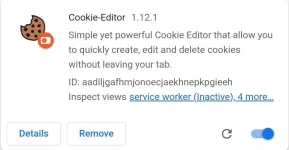
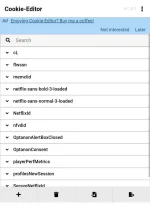
4. Now you can import cookies again on your cookie editor.
Try nyo sa Kiwi Browser nyo and send feedback if working na uli sya sa phone nyo
1. Download the cookie editor (1.12.1) file here.
Download
2. Open your Kiwi Browser > go to Menu > click Extensions > click +(from.zip....)
3. Select the folder where you saved the downloaded .zip file and it will automatically add to your extensions.
4. Now you can import cookies again on your cookie editor.
Try nyo sa Kiwi Browser nyo and send feedback if working na uli sya sa phone nyo


