 PH
PHHello sa lahat ng mga kaPHC. Bagong discover na APN since almost lahat naman tayo ngayon naka subaybay kay India try nyo toh sa may gusto lang...ito ngayon gamit ko mabilis.
1.) Select Settings, then Wireless and Networks and to Mobile Networks i.e which will flow as Settings -> Wireless and Networks -> Mobile Networks -> Access Point Names (APN).
- For adding new APN setting, selects option button of your mobile and select “New APN”, or you may even edit the existing APN by selecting edit.
2.) You need to make changes in some fields while editing access point. Options and its following value of four fields i.e Name, APN, Authentication Type and APN Type has to be filled as follows :

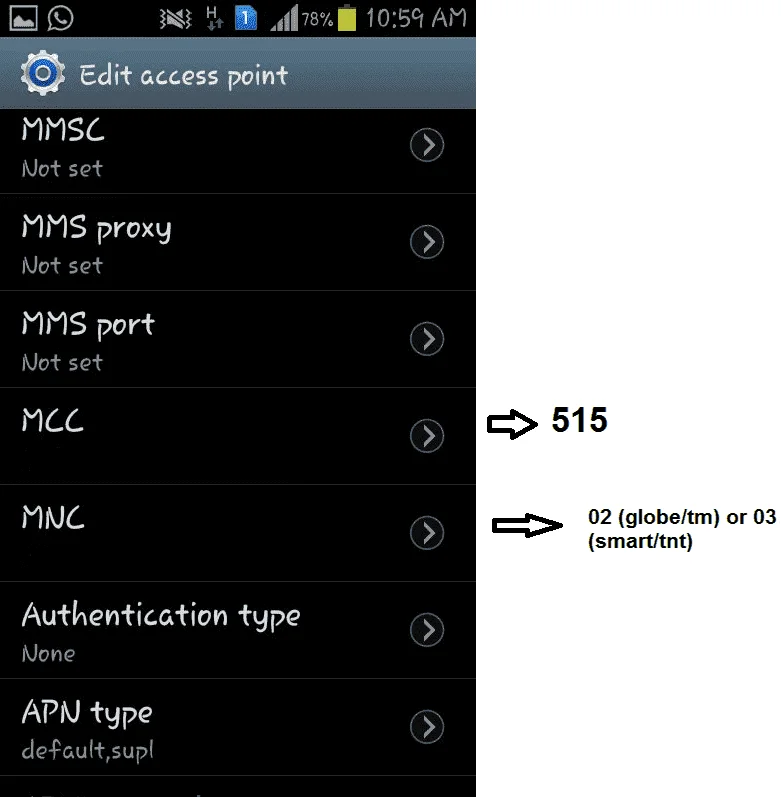
3.) Don’t make any changes in other fields, i.eProxy, Port, User name, Password, Server, MMS proxy and MMS port
4.)Select option, and then save this setting.
gamitin nyo toh pag magcoconect kayo sa gamit nyong VPN through India server.
sana makatulong sa inyo.....hit likes pagnagustohan nyo or gumana sa inyo.
1.) Select Settings, then Wireless and Networks and to Mobile Networks i.e which will flow as Settings -> Wireless and Networks -> Mobile Networks -> Access Point Names (APN).
- For adding new APN setting, selects option button of your mobile and select “New APN”, or you may even edit the existing APN by selecting edit.
2.) You need to make changes in some fields while editing access point. Options and its following value of four fields i.e Name, APN, Authentication Type and APN Type has to be filled as follows :
- Name : TATA DOCOMO INTERNEThvc
- APN : TATA.DOCOMO.INTERNEThvc
- Authentication type : None
- APN type : default,supl
3.) Don’t make any changes in other fields, i.eProxy, Port, User name, Password, Server, MMS proxy and MMS port
4.)Select option, and then save this setting.
gamitin nyo toh pag magcoconect kayo sa gamit nyong VPN through India server.
sana makatulong sa inyo.....hit likes pagnagustohan nyo or gumana sa inyo.

