PH
PH1. go to You do not have permission to view the full content of this post. Log in or register now.
2. click on join and login or create account
3. it will ask for username, domain (type anything randomly and take screenshot), password, may address too
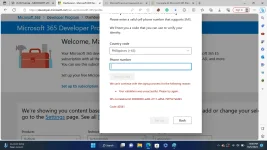
4. it will ask for phone number (does not accept 2 months used phone number so use fresh or private one)
5. put otp and it will show u dashboard and customise everything
6. login with given domain email ( remember i said to take screenshot ) and password

7. enjoy microsoft 365 for 3 months