PH
PHKapag gantong error lumalabas sainyo gawin nyo lang mag change dns to 1.1.1.1 -> Para sa mga PC user You do not have permission to view the full content of this post. Log in or register now.. Sa mga android users scroll unti.
Bakit 1.1.1.1? Yun ang nag work sakin pero kung gusto nyo iba try nyo lang din Google, Cloudfare DNS etc...
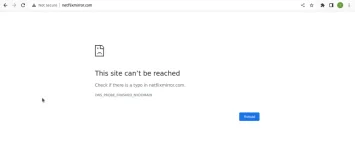
Free For All Access
NO LOGIN NEEDED
I HIGHLY SUGGEST GUMAMIT
NG BROWSER
MAPA MOBILE OR PC.
Can run on Android os kahit browser lang.
Not sure kung working sa IOS
You do not have permission to view the full content of this post.
Log in or register now.

Para sa mga Android Users
Dalawang uri ng pag reresolva ng DNS
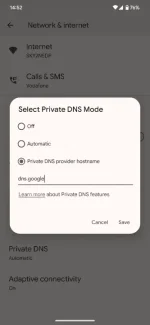
Android 9 Pie or later
Go to Settings > Network & internet.
- Select Advanced > Private DNS.
- Select the Private DNS provider hostname option.
- Enter one.one.one.one and press Save.
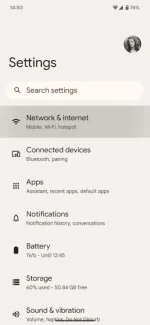
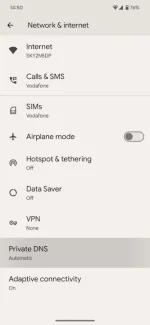
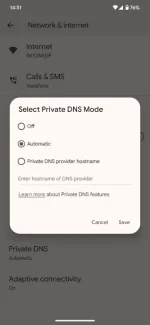
Previous Android versions
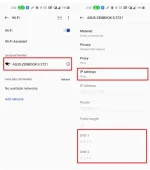
- Open Settings > WiFi.
- Press down and hold the name of the network you are currently connected to.
- Select Modify Network.
- Select the checkbox Show Advanced Options.
- Change the IP Settings to Static.
- Depending on what you want to configure, choose one of the following DNS addresses for IPv4
 seryoso natuwa aq sa pamamaraan nato..ayos din..proven