PH
PH
Key Features of Adobe Photoshop:
- Linked Resources: Easily update assets across various projects by linking them through Creative Cloud Library. Team members can choose to update linked assets in Illustrator, Photoshop, or InDesign projects after changes.
- Artboards: Enhance design efficiency with artboards, perfect for responsive design across different screens. Create multiple layouts, view them simultaneously, and copy or export content between them.
- Adobe Stock Store: Quickly find and manage royalty-free images and videos from within Photoshop, thanks to the Adobe Stock Store. Access a vast library of 40 million assets, saving them to Creative Cloud Libraries for use in your projects.
- Design Space (Preview): Improve the design environment with Design Space, a tool that streamlines interactions and reduces unnecessary mouse movements, making it easier to work on mobile apps and websites.
- Efficient Export: Exporting images is now faster and more convenient. Redesigned export tools allow you to export layers, artboards, or entire documents with a single click. Improved compression and preview options enhance the experience.
- Layer Styles: Add up to 10 instances of layer styles to achieve your desired effect without rasterizing effects or dealing with different layer groups.
- iOS Device Compatibility: Ensure your designs look great on iOS devices with accurate previews via Adobe Preview, which connects your devices to Photoshop for real-time feedback.
- Realistic Blurs: Achieve realistic blurs with noise overlay, reducing streaks when viewing and printing.
- Faster Healing and Fixing: Healing Brush and Fix/Fixes Tool offer improved performance with real-time results, rendering up to 120 times faster than in CS6.
- Glyphs Palette: Access glyphs easily, view available glyphs for your font, see alternatives, and access frequently used glyphs.
- Precise Object Control: Improved content-aware move and expand operations for precise scaling and rotation of objects.
- Content-Aware Fill for Panoramas: Fill in panorama corners from multiple images with a single checkbox.
- 3D Model Management: Easily downsample 3D models and create relief maps from images.
- 3D Printing: Generate 3D print-ready files directly from Photoshop and access local 3D print service providers.
- And More: Additional improvements, including better layer movement behavior, reduced power consumption when idle, updated pricing information for 3D printing, and more.
- Generative Expand: A new feature in the Photoshop (beta) app powered by Firefly technology. It allows you to expand your image creatively, generating multiple versions of it quickly.
- Aspect Ratio Adjustments: Resize images, change aspect ratios, and reframe images for different looks or storytelling purposes.
- Global Language Support: Generative Fill and Generative Expand now support text prompts in over 100 languages, enabling global creativity.
- Layers Panel Improvements: Enjoy a more efficient workflow with new tooltips and videos in the Layers panel.
Here's the step by step tutorial to get photoshop beta for free without using any pre-activated repacks that may contain hidden trojans, and viruses
Pre-Requisites:Adobe-GenP
You do not have permission to view the full content of this post. Log in or register now. Genp 3.1.9
update GenP 3.2.0
You do not have permission to view the full content of this post. Log in or register now.
You do not have permission to view the full content of this post. Log in or register now. (1 false positive, not a big deal)
1. Download You do not have permission to view the full content of this post. Log in or register now.APP
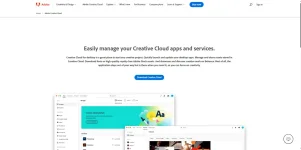
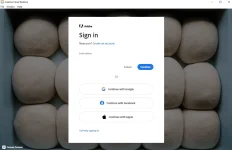
2. Sign-in using any of your email address
3. After signing-in go to Apps tab >> Beta Apps category
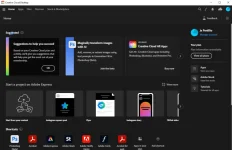
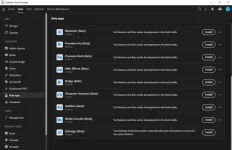
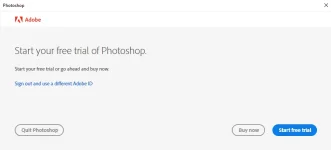
4. Install Photoshop (Beta) and run then click quit photoshop
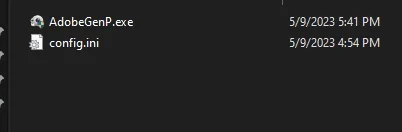
5. Download the Adobe-GenP and extract
6. Run and click search, if you see the photoshop click ρá†ch
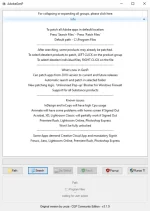
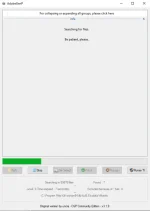
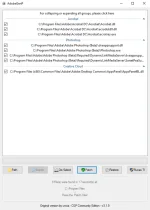
7. Wait for the process to complete
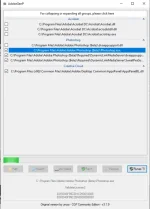
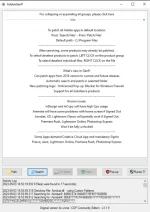
8. Run Photoshop beta and check if the trial pop up disappeared(Check step 4)
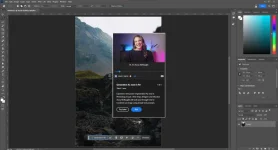
9. Try AI Generative Fill
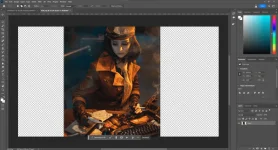
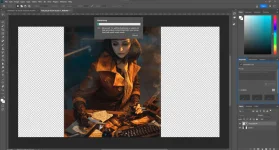
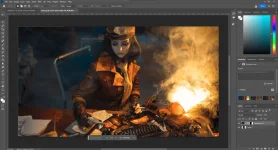
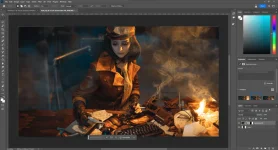
10. Enjoy your free Adobe Photoshop Beta
IMPORTANT NOTES!!
If the Adobe Creative Cloud App asks you to update Photoshop(Beta) -- update it without hesitation since it ill fixes some bugs present from the current version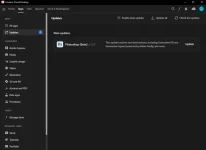
After the update do the STEP 6 and ρá†ch again
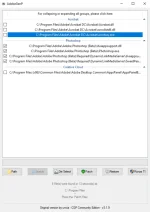
---You can install other betas and adobe application using the same manner---

 .. wait sa mag lalabas..