 PH
PHAsa Watanabe
Forum Veteran
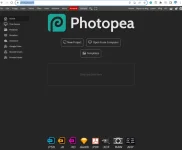
Just found this free, online browser-based alternative to Photoshop.
You do not have permission to view the full content of this post. Log in or register now.
Photopea is a free online editing tool with several tools, filters, and other editing capabilities. Photopea’s interface is user-friendly and contains a similar layout to Photoshop, making it a good choice for people looking to get an idea of the program before buying it.
Photopea works with raster and vector graphics, allowing you to edit photographs, resize images, manage backgrounds, and much more.
When editing on Photopea, everything is done in your browser, and you aren’t required to download any software. You simply upload an image, make all the edits using the tool online, and share or download the project once you are done.
You can download images in various file types, including as a PSD file, which is helpful if you use the tool with Photoshop. The program is also beneficial if a co-worker who doesn’t have Photoshop needs to collaborate on a project.
Enjoy!