PH
PH• No root
• For Advance android user
• Put this code on labdb,shizuku+termux android apps or using pc,loptop cmd
• Works on android 13 below
• Enjoy
# Property CPU & GPU
setprop debug.ro.composition.type gpu
setprop debug.ro.composition.type c2d
setprop debug.ro.sys.cpu.minfreq 1920
setprop debug.ro.sys.cpu.maxfreq 2100
setprop debug.ro.sys.cpu.defaultfreq auto
setprop debug.ro.sys.gpu.defaultfreq auto
setprop debug.ro. sys.gpu.minfreq 400
setprop debug.ro.sys.gpu.maxfreq 800
# FPS Stablize - change value fps depend your android support fps
setprop debug.ro.fps_enable 1
setprop debug.ro.fps.capsmin 60fps
setprop debug.ro.fps.capsmax 60fps
setprop debug.ro.persist.sys.NV_FPSLIMIT 60
#Stablize Refresh Rate
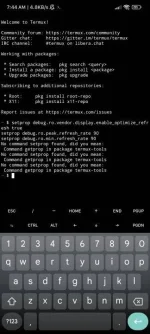
setprop debug.ro.vendor.display.enable_optimize_refresh true
setprop debug.ro.peak.refresh_rate 60
setprop debug.ro.min.refresh_rate 60
Notes: To Remove All Command Reboot Your phone.
• For Advance android user
• Put this code on labdb,shizuku+termux android apps or using pc,loptop cmd
• Works on android 13 below
• Enjoy
# Property CPU & GPU
setprop debug.ro.composition.type gpu
setprop debug.ro.composition.type c2d
setprop debug.ro.sys.cpu.minfreq 1920
setprop debug.ro.sys.cpu.maxfreq 2100
setprop debug.ro.sys.cpu.defaultfreq auto
setprop debug.ro.sys.gpu.defaultfreq auto
setprop debug.ro. sys.gpu.minfreq 400
setprop debug.ro.sys.gpu.maxfreq 800
# FPS Stablize - change value fps depend your android support fps
setprop debug.ro.fps_enable 1
setprop debug.ro.fps.capsmin 60fps
setprop debug.ro.fps.capsmax 60fps
setprop debug.ro.persist.sys.NV_FPSLIMIT 60
#Stablize Refresh Rate
setprop debug.ro.vendor.display.enable_optimize_refresh true
setprop debug.ro.peak.refresh_rate 60
setprop debug.ro.min.refresh_rate 60
Notes: To Remove All Command Reboot Your phone.