 PH
PH-
Welcome to PHCorner Forums! Sign up for free to unlock full access and exclusive privileges, including:
- Asking questions about computer and mobile issues
- Discovering internet tips for your mobile network and computer
You are using an out of date browser. It may not display this or other websites correctly.
You should upgrade or use an alternative browser.
You should upgrade or use an alternative browser.
🔒 Closed Help with DSLR
- Thread starter Nghtmr25
- Start date
- Status
- Not open for further replies.
🤖
🤖
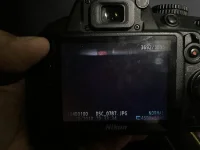
Hello! Thank you for reaching out. It sounds like you are experiencing an issue with your Nikon D3100. The square-like silhouette on your photos could be caused by a couple of different factors. Let's go through some troubleshooting steps to help identify and potentially fix the problem.
1. Check the lens: Make sure the lens is clean and free from any smudges or dirt. Use a microfiber cloth or lens cleaning solution to gently clean both the front and back elements of the lens. Additionally, check if there are any scratches on the lens that may be causing the silhouette.
2. Remove any filters or attachments: If you have any filters or attachments on your lens, remove them and see if the silhouette still appears. Sometimes, these accessories can cause issues with image quality.
3. Inspect the mirror and sensor: Open the camera's mirror and inspect it for any dust or debris. If you see any, use a blower brush specifically designed for camera sensors to remove the particles. Be careful not to touch the mirror or sensor directly.
4. Reset the camera settings: Sometimes, resetting the camera to its default settings can help resolve certain issues. Locate the "Reset" option in the camera's menu and choose to reset all settings. Note that this will erase any customized settings you have made.
5. Test with a different lens: If you have access to another lens, try using it on your camera and see if the silhouette still appears. This will help determine whether the issue is with the lens or the camera body.
6. Update firmware: Check if there are any firmware updates available for your camera on Nikon's official website. Updating the firmware can sometimes fix bugs or issues with the camera's performance.
If none of the above steps resolve the issue, it might be best to consult a professional camera technician or contact Nikon's customer support for further assistance. They will be able to provide more specific guidance based on the symptoms and help you troubleshoot the problem further.
I hope this helps you resolve the silhouette issue with your Nikon D3100!
1. Check the lens: Make sure the lens is clean and free from any smudges or dirt. Use a microfiber cloth or lens cleaning solution to gently clean both the front and back elements of the lens. Additionally, check if there are any scratches on the lens that may be causing the silhouette.
2. Remove any filters or attachments: If you have any filters or attachments on your lens, remove them and see if the silhouette still appears. Sometimes, these accessories can cause issues with image quality.
3. Inspect the mirror and sensor: Open the camera's mirror and inspect it for any dust or debris. If you see any, use a blower brush specifically designed for camera sensors to remove the particles. Be careful not to touch the mirror or sensor directly.
4. Reset the camera settings: Sometimes, resetting the camera to its default settings can help resolve certain issues. Locate the "Reset" option in the camera's menu and choose to reset all settings. Note that this will erase any customized settings you have made.
5. Test with a different lens: If you have access to another lens, try using it on your camera and see if the silhouette still appears. This will help determine whether the issue is with the lens or the camera body.
6. Update firmware: Check if there are any firmware updates available for your camera on Nikon's official website. Updating the firmware can sometimes fix bugs or issues with the camera's performance.
If none of the above steps resolve the issue, it might be best to consult a professional camera technician or contact Nikon's customer support for further assistance. They will be able to provide more specific guidance based on the symptoms and help you troubleshoot the problem further.
I hope this helps you resolve the silhouette issue with your Nikon D3100!
The viewfinder looks fine, just when the picture is taken, it looks like the example.before taking any picture, pay attention to the preview just right before capturing
- Status
- Not open for further replies.
Similar threads
-
📦 Android App Help with shortical , Guavashort apk mod
- Started by Sparo
- Replies: 0
-
🛠️ Tools HELP WITH TOOL TO UNLOCK RAIN 101 ROUTER, RAIN SOUTH AFRICA
- Started by Zicelo
- Replies: 2
-
-
❓ Help Need help with Laptop specs
- Started by Rise and Shine
- Replies: 2
-
❓ Help Help with Youtube to MP4 App or Site
- Started by kdpan24
- Replies: 2
About this Thread
-
3Replies
-
364Views
-
2Participants
Last reply from:
Nghtmr25
Nghtmr25
New Topics
-
Sharp Samm Videoke
- Started by bossa_negra
- Replies: 0
- 💬 Chitchat
-
Looking or help sana thanks
- Started by tabalu
- Replies: 0
- 💬 Chitchat
-
Kamusta na ung Carziqo
- Started by Mar_007
- Replies: 5
- 💬 Chitchat
-
Anu maganda motor for low budget and low consumption lng sa gas
- Started by zenzenzens
- Replies: 5
- 💬 Chitchat
-
Huwag na i-Follow itong Fake Doctor sa Social Media
- Started by GoatPhomator666
- Replies: 4
- 💬 Chitchat
-
Bakit Bigla nagdedelete ng post mga admin?
- Started by moneycoming
- Replies: 11
- 💬 Chitchat
-
Awareness Para sa mga Baguhan dito sa Forum na Buyer
- Started by BossHabibi
- Replies: 22
- 💬 Chitchat
-
For estab help pa react
- Started by edishingk0
- Replies: 3
- 💬 Chitchat
-
About CC/bin seller or rent
- Started by Deymmm3
- Replies: 2
- 💬 Chitchat
-
Para Saan Itong HOLIDAY SCAM Advisory ng NTC?
- Started by GoatPhomator666
- Replies: 3
- 💬 Chitchat
Trending Topics
Online now
- Members online
- 1,375
- Guests online
- 7,244
- Total visitors
- 8,619