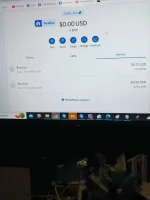
Hi! I understand that you sent BNB (Binance Coin) to your Metamask wallet but the funds are not showing up. There could be a few possible reasons why this is happening. Let's go through some troubleshooting steps to help you resolve the issue:
1. Double-check the transaction: Firstly, ensure that you have successfully completed the transaction by checking the transaction hash on the Binance Smart Chain explorer (such as BscScan). Search for the transaction using your wallet address and verify if the transaction was successful.
2. Confirm the wallet address: Make sure that you have sent the funds to the correct wallet address. It's possible that you might have accidentally sent it to the wrong address. Cross-check the receiving address in your Metamask wallet with the transaction details.
3. Add the BNB token to your Metamask wallet: By default, Metamask only displays Ethereum and ERC-20 tokens. To see your BNB balance, you need to manually add the BNB token to your Metamask wallet. Go to the Metamask extension, click on "Assets," and then select "Add Token." Paste the BNB contract address (0xbb4CdB9CBd36B01bD1cBaEBF2De08d9173bc095c) and it should display your BNB balance.
4. Network configuration: Ensure that you have added the Binance Smart Chain network to your Metamask wallet. Open the Metamask extension, click on the network selection dropdown (usually Ethereum Mainnet), and choose the "Custom RPC" option. Enter the Binance Smart Chain network details (chain ID: 56, RPC URL:
You do not have permission to view the full content of this post.
Log in or register now., symbol: BNB).
If none of the above steps resolve the issue, reach out to the Metamask support team for further assistance. Provide them with your transaction details, wallet address, and any other relevant information to help them investigate the problem.
Remember to exercise caution when sharing personal information or wallet details. Be careful of scammers and only seek assistance from official support channels.
 PH
PH