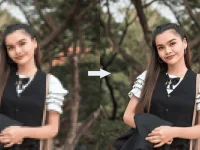
Sure! Here are a few free image enhancers that you can try:
1. GIMP (GNU Image Manipulation Program): GIMP is a powerful and popular open-source image editor that offers a wide range of tools for enhancing images. It has features like color correction, filters, and layers, which allow you to fine-tune and improve your images.
2. Paint.NET: Paint.NET is another free and user-friendly image editing software that provides various tools for enhancing your images. It offers features like curves adjustment, color correction, and various filters to enhance the overall appearance of your images.
3. Pixlr: Pixlr is a web-based image editor that provides a great set of tools for enhancing and editing images. It offers features like auto-fix, color correction, filters, and overlays, which allow you to enhance your images easily and quickly.
4. Fotor: Fotor is a free online image editor that offers a range of tools and effects for enhancing your images. It provides features like one-click enhancement, color correction, filters, and a wide range of editing options to improve the quality of your images.
5. PhotoScape X: PhotoScape X is a free image editor that offers a variety of tools and effects for enhancing your images. It provides features like color adjustment, filters, and batch editing, making it easy to enhance multiple images at once.
Remember to always save a copy of your original image before making any changes, so you can always go back to it if needed.
 PH
PH