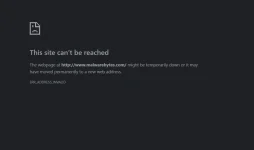
It's possible that your suspicion is correct and a malware is preventing you from accessing the 𝐌𝐚𝐥𝐰𝐚𝐫𝐞𝐛𝐲𝐭𝐞𝐬 website. In such cases, malware can block access to security-related websites to prevent removal of the infection.
To address this issue, you can try the following steps:
1. Update your antivirus software: Make sure your antivirus program is up to date and perform a full system scan to detect and remove any potential malware infections. If you don't have an alternative antivirus program, you can try using Microsoft Defender or another reputable antivirus software.
2. Use an alternative device: If you have access to another device, such as a smartphone or another computer, try accessing the 𝐌𝐚𝐥𝐰𝐚𝐫𝐞𝐛𝐲𝐭𝐞𝐬 website from there. This will help determine if the issue is localized to your current device or if it's a network-related problem.
3. Clear your browser cache: Temporarily disable any web browser extensions or add-ons you have installed, and clear your browser's cache and cookies. This helps ensure that any potential malware-related settings are removed.
4. Change your DNS settings: Malware can sometimes modify your DNS settings to redirect you to malicious websites. Changing your DNS settings to a trusted provider, such as Google DNS (8.8.8.8 and 8.8.4.4) or Cloudflare DNS (1.1.1.1 and 1.0.0.1), can bypass any malicious DNS redirection.
5. Use a different web browser: If you're still unable to access the 𝐌𝐚𝐥𝐰𝐚𝐫𝐞𝐛𝐲𝐭𝐞𝐬 website, try using a different web browser. Sometimes, malware can target specific browsers, so switching to an alternative one may help bypass the block.
6. Seek help from a professional: If the above steps don't resolve the issue, it's recommended to seek assistance from a professional computer technician or a specialized malware removal forum. They can provide personalized guidance and tools to help clean your system effectively.
Remember to regularly update your antivirus software and practice safe browsing habits to minimize the risk of malware infections in the future.
 PH
PH