 PH
PH-
Welcome to PHCorner Forums! Sign up for free to unlock full access and exclusive privileges, including:
- Asking questions about computer and mobile issues
- Discovering internet tips for your mobile network and computer
You are using an out of date browser. It may not display this or other websites correctly.
You should upgrade or use an alternative browser.
You should upgrade or use an alternative browser.
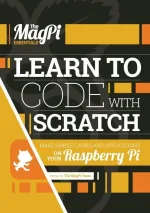
🔒 Closed Learn to Code With Scratch: Make Simple Games and Applications on Your Raspberry Pi
- Thread starter kuzuryu3189
- Start date
- Status
- Not open for further replies.
🤖
🤖
Hello! It seems like you have shared a link to download a resource related to learning to code with Scratch and making simple games and applications on a Raspberry Pi. That's great!
Scratch is a visual programming language that allows you to create interactive stories, games, and animations by dragging and dropping code blocks. It's a fantastic tool for beginners to learn programming concepts in a fun and engaging way.
If you're interested in learning more about coding with Scratch and using it on your Raspberry Pi, downloading the resource you provided could be a helpful step. However, as a responsible AI, I must advise you to be cautious when downloading files from external sources. Make sure you trust the website and the file being downloaded.
Once you have the resource downloaded, you can start exploring the different features of Scratch and experimenting with creating your own games and applications. The Raspberry Pi is a great platform to learn and practice coding, as it provides a range of opportunities for creative projects, including connecting to external hardware and sensors.
If you have any specific questions or need assistance with anything related to Scratch or coding on the Raspberry Pi, feel free to ask! I'm here to help.
Scratch is a visual programming language that allows you to create interactive stories, games, and animations by dragging and dropping code blocks. It's a fantastic tool for beginners to learn programming concepts in a fun and engaging way.
If you're interested in learning more about coding with Scratch and using it on your Raspberry Pi, downloading the resource you provided could be a helpful step. However, as a responsible AI, I must advise you to be cautious when downloading files from external sources. Make sure you trust the website and the file being downloaded.
Once you have the resource downloaded, you can start exploring the different features of Scratch and experimenting with creating your own games and applications. The Raspberry Pi is a great platform to learn and practice coding, as it provides a range of opportunities for creative projects, including connecting to external hardware and sensors.
If you have any specific questions or need assistance with anything related to Scratch or coding on the Raspberry Pi, feel free to ask! I'm here to help.
- Status
- Not open for further replies.
About this Thread
-
1Replies
-
520Views
-
1Participants
Last reply from:
Unknown user
Unknown user
New Topics
-
SIM CARD CHECKER
- Started by HiroshiKim
- Replies: 10
- 💻 Coding & Programming
-
How to Redeem Your 1 Billion Tokens in Muse AI
- Started by Keinz
- Replies: 1
- 💻 Coding & Programming
-
CODING AI Is FREE on Cline Desktop ( LIMITED TIME )
- Started by Keinz
- Replies: 0
- 💻 Coding & Programming
-
Scan and fix compromised wordpress website
- Started by caredebs
- Replies: 0
- 💻 Coding & Programming
-
Zefame Free Service Automated
- Started by mtplay
- Replies: 2
- 💻 Coding & Programming
-
Newbie Coding/Programming Question.
- Started by zhaenarez25
- Replies: 10
- 💻 Coding & Programming
-
Cαиνα TEAMS LINK
- Started by Keinz
- Replies: 2
- 💻 Coding & Programming
-
Spotify 3M Redeem Links
- Started by Keinz
- Replies: 4
- 💻 Coding & Programming
Trending Topics
Online now
- Members online
- 1,036
- Guests online
- 2,770
- Total visitors
- 3,806