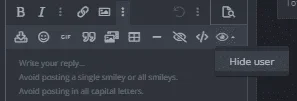
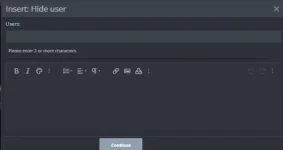
To hide comments on a post and allow only the thread starter or TS to see them, you can follow these steps:
1. Go to the post where you want to hide the comments.
2. Look for the settings or options button/icon on the post. It is usually represented by three dots or a gear icon.
3. Click on the settings/options button and a drop-down menu will appear.
4. In the drop-down menu, look for an option like "Hide Comments" or "Privacy Settings."
5. Click on the "Hide Comments" or "Privacy Settings" option.
6. A pop-up window or menu will appear. In this window, you will find the different privacy settings options.
7. Look for an option that allows you to limit the visibility of comments to only the thread starter or TS.
8. Select that option...
 PH
PH