 PH
PHNihilosphy
Eternal Poster
Hindi na Makalaro Dahil rooted ang android mo!! try mo to
Bypass root detection of pokemon go
1. Download the 3 files you will need, Magisk ZIP file, Magisk SuperSU ZIP file, and You do not have permission to view the full content of this post. Log in or register now..
Download:
You do not have permission to view the full content of this post. Log in or register now.
You do not have permission to view the full content of this post. Log in or register now.
You do not have permission to view the full content of this post. Log in or register now.
You do not have permission to view the full content of this post. Log in or register now.
You do not have permission to view the full content of this post. Log in or register now.
You do not have permission to view the full content of this post. Log in or register now.
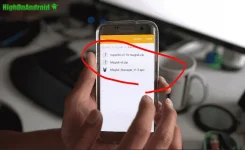
Step 2. Reboot into TWRP or CWM recovery and do a factory reset. THIS WILL ERASE ALL YOUR APPS and SETTINGS but not contents of your internal storage.
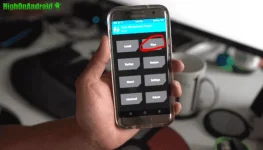
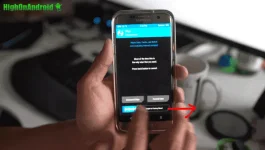
Step 3. Tap on “Install”.
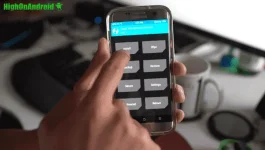
Step 4. Tap on Magisk ZIP file.
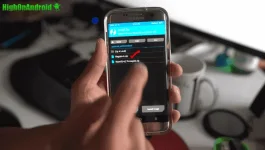
Step 5. Tap on “Add more Zips”.
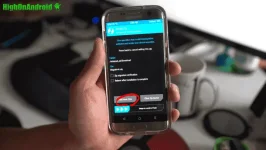
Step 6. Tap on SuperSU Magisk ZIP file.
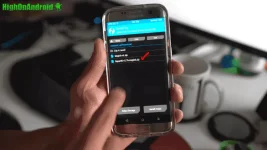
Step 7. Swipe to flash the files.
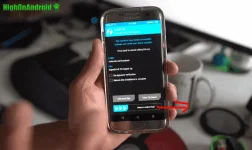
Step 8. Reboot system.
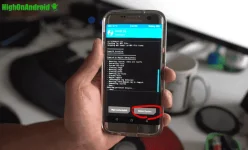
Step 9. Once booted, sign in.
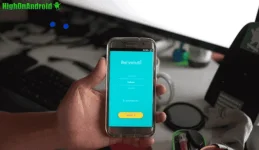
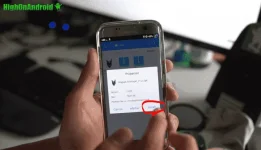
Step 10. Install You do not have permission to view the full content of this post. Log in or register now.using ES File Explorer.
Step 11. Launch Magisk Manager app and it should look like following, which means root is enabled.
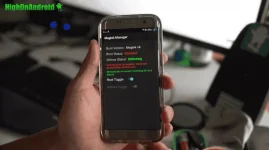
Step 12. Anytime you want to play Pokemon Go or use Android Pay, toggle the Root and turn it off.
Full tut
View: https://phc.onl/#forbidden#/TBaZpiIDFQ8
Bypass root detection of pokemon go
1. Download the 3 files you will need, Magisk ZIP file, Magisk SuperSU ZIP file, and You do not have permission to view the full content of this post. Log in or register now..
Download:
You do not have permission to view the full content of this post. Log in or register now.
You do not have permission to view the full content of this post. Log in or register now.
You do not have permission to view the full content of this post. Log in or register now.
You do not have permission to view the full content of this post. Log in or register now.
You do not have permission to view the full content of this post. Log in or register now.
You do not have permission to view the full content of this post. Log in or register now.
Step 2. Reboot into TWRP or CWM recovery and do a factory reset. THIS WILL ERASE ALL YOUR APPS and SETTINGS but not contents of your internal storage.
Step 3. Tap on “Install”.
Step 4. Tap on Magisk ZIP file.
Step 5. Tap on “Add more Zips”.
Step 6. Tap on SuperSU Magisk ZIP file.
Step 7. Swipe to flash the files.
Step 8. Reboot system.
Step 9. Once booted, sign in.
Step 10. Install You do not have permission to view the full content of this post. Log in or register now.using ES File Explorer.
Step 11. Launch Magisk Manager app and it should look like following, which means root is enabled.
Step 12. Anytime you want to play Pokemon Go or use Android Pay, toggle the Root and turn it off.
Full tut
View: https://phc.onl/#forbidden#/TBaZpiIDFQ8