PH
PHSharing free access of MIT Bypass (CODM Emulator Bypass + Internal Cheat) by Savitar#1286.
Features:
- Bypass for Emulator Detection
- ESP Visuals
- Snaplines ESP
- Box ESP
- Name ESP
- Health ESP
- Distance ESP
- World ESP Visuals
- 360 Alert ESP
- Weapons Type ESP
- Grenade Type ESP
- Show Vehicle ESP
- AirDrop Information
- Memory Aimbot
- Aim Speed / Smoothness
- Target / Hitbox (Head & Body)
- Trigger Condition (Shooting, Scoping & Both) (Near Distance or FOV)
- Aimbot's Field of View (FOV)
- Miscellaneous
- No Recoil (No Spread is also included in this feature)
- Small Crosshair
- Fast Reload
- Quick Change
- Long Slide (With Value Slider)
- Speed häçk (With Value Slider) (Not working properly, based on my own experience)
Download Link: You do not have permission to view the full content of this post. Log in or register now. (Password: 123)
Tutorial:
NOTE: If you're going to use No Recoil, Fast Reload and Small Crosshair. Make sure scope first and fire after you spawn/respawn to make it work.
USE AT YOUR OWN RISK!
Features:
- Bypass for Emulator Detection
- ESP Visuals
- Snaplines ESP
- Box ESP
- Name ESP
- Health ESP
- Distance ESP
- World ESP Visuals
- 360 Alert ESP
- Weapons Type ESP
- Grenade Type ESP
- Show Vehicle ESP
- AirDrop Information
- Memory Aimbot
- Aim Speed / Smoothness
- Target / Hitbox (Head & Body)
- Trigger Condition (Shooting, Scoping & Both) (Near Distance or FOV)
- Aimbot's Field of View (FOV)
- Miscellaneous
- No Recoil (No Spread is also included in this feature)
- Small Crosshair
- Fast Reload
- Quick Change
- Long Slide (With Value Slider)
- Speed häçk (With Value Slider) (Not working properly, based on my own experience)
Download Link: You do not have permission to view the full content of this post. Log in or register now. (Password: 123)
Tutorial:
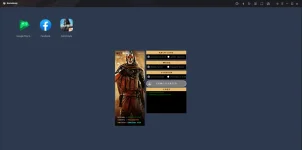
- Download GameLoop (32 Bit) and install either COD Mobile Garena or Global Version.
- After installation, close the entire GameLoop process running in your system.
- Run the loader as administrator and press "No" for the free version.
- Click "Get Key" to generate your free key.
- After skipping the ads, you should be able to receive your key.
- Paste your generated key in the loader and click "Login".
- Once you're logged in, select your desired options. Most of the selections are self-explanatory. Choose "Mobile Server" if you want to play with the mobile players.
- After choosing your options, click "Start Game" and a pop-up message should appear asking you if you want to use häçk Menu (Yes or No).
- The loader itself will do all the work, all you have to do is to wait until everything's loaded properly.
NOTE: If you're going to use No Recoil, Fast Reload and Small Crosshair. Make sure scope first and fire after you spawn/respawn to make it work.
USE AT YOUR OWN RISK!