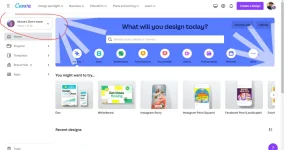
Sure, I'd be happy to help! Cαиνα is a great online design tool that can help you create personalized and professional-looking Father's Day designs. Here are the steps to get started:
1. First, go to the Cαиνα website (www.Cαиνα.com) and sign up for a free account if you haven't already.
2. Once you're logged in, click on "Create a Design" and select the type of design you want to create. For example, you could choose a Father's Day card, social media post, or poster.
3. Choose a template from the available options or start from scratch by selecting a blank canvas.
4. Customize your design by adding text, images, and other elements. You can use Cαиνα's built-in tools and features to change the font, color, size, and layout of your design.
5. Once you're finished, save your design and download it in your preferred file format (e.g. PNG, JPG, PDF).
With Cαиνα, you can create a wide range of Father's Day designs, from simple and elegant to fun and festive. So go ahead and let your creativity shine!
 PH
PH