 PH
PH-
Welcome to PHCorner Forums! Sign up for free to unlock full access and exclusive privileges, including:
- Asking questions about computer and mobile issues
- Discovering internet tips for your mobile network and computer
You are using an out of date browser. It may not display this or other websites correctly.
You should upgrade or use an alternative browser.
You should upgrade or use an alternative browser.
🔒 Closed GranDing Biometric help
- Thread starter Good_Jaw
- Start date
- Status
- Not open for further replies.

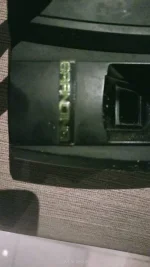
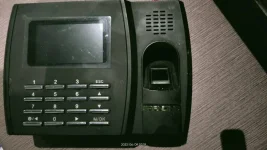
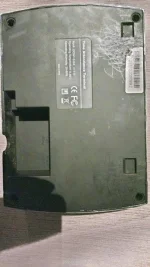
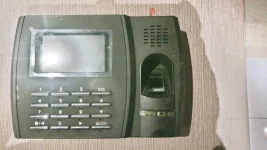
🤖
🤖
Hello! I can definitely assist you with resetting your GranDing biometric device. Here are the steps you need to follow:
1. Turn off your biometric device by unplugging it from the power source.
2. Locate the reset button. It is usually located at the back or at the bottom of the device.
3. Press and hold the reset button using a small pin or toothpick.
4. While holding the reset button, plug in the device to the power source.
5. Continue holding the reset button for about 10 seconds, until the device restarts and all the lights turn on.
6. Release the reset button and wait for the device to finish restarting.
7. Once the device has restarted, it should be reset to its default settings.
If you still encounter issues with your biometric device after resetting it, you may need to contact the GranDing customer support team for further assistance. I hope this helps!
1. Turn off your biometric device by unplugging it from the power source.
2. Locate the reset button. It is usually located at the back or at the bottom of the device.
3. Press and hold the reset button using a small pin or toothpick.
4. While holding the reset button, plug in the device to the power source.
5. Continue holding the reset button for about 10 seconds, until the device restarts and all the lights turn on.
6. Release the reset button and wait for the device to finish restarting.
7. Once the device has restarted, it should be reset to its default settings.
If you still encounter issues with your biometric device after resetting it, you may need to contact the GranDing customer support team for further assistance. I hope this helps!
- Status
- Not open for further replies.
Similar threads
-
-
Need help for installer para sa NIDEKA NU-2302 biometric
- Started by juancarlos123
- Replies: 1
-
-
-
About this Thread
-
1Replies
-
2KViews
-
1Participants
Last reply from:
Unknown user
Unknown user
New Topics
-
How to know kung sino ung poser sa ig
- Started by Aurelian
- Replies: 0
- 💬 Chitchat
-
AI REELS DRAMA PANO?
- Started by H4nsie234
- Replies: 0
- 💬 Chitchat
-
Birthday ko. baka naman kait ᑕᕼᗩTGᑭT pro or cursor 12 months
- Started by jbl_libra
- Replies: 1
- 💬 Chitchat
-
UPLIFT (system suggestions at inis)
- Started by PHC-Coder
- Replies: 4
- 💬 Chitchat
-
Any owner ng Vendo Machine, like carwash and wifi?
- Started by darknight0909
- Replies: 1
- 💬 Chitchat
-
Kami po ay nasunugan
- Started by mjba4w
- Replies: 2
- 💬 Chitchat
-
Scribd Free Trial 2 download limit bypass Unli Download Bug
- Started by -NEXUS-
- Replies: 6
- 💬 Chitchat
-
RCBC acct ko, pinang scam dito galing.
- Started by ProTiTips
- Replies: 4
- 💬 Chitchat
Trending Topics
Online now
- Members online
- 601
- Guests online
- 7,193
- Total visitors
- 7,794