PH
PHPHC-MyHero
Eternal Poster
Account I found using this method. Happy checking 

Easy lang 'to mga mamzer, di na kailangan ng programming knowledge o ano man.
Steps:
1.) Download and install macrorader [pass: wowlodge] and always on top.
You do not have permission to view the full content of this post. Log in or register now.
Mirror: You do not have permission to view the full content of this post. Log in or register now.
2.) Take your netflix accounts dump and divide it to two parts, usernames and passwords.
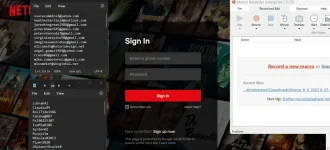
3.) Open macroreader and always on top, click on the username notepad, perform "ctrl + spacebar" combination to toggle it, then click on the pass notepad and perform "ctrl + spacebar" as well to toggle it. Toggling them would mean they will stay on top in place even when clicking other programs.
4.) Click "Record" and start checking for an account as you would normally do, when done, click stop, and delete the macros after pressing "Sign In".
5.) On macroreader, adjust the "Repeat" option to the amount of accounts in your combolist. Click "Start", sit back, and relax.
5.) Once logged in to netflix account, just check the account settings and find the email address, then compare it to your combo list to find the credentials.
The video provided will entail the recording and automation process.
View attachment 2023-06-07 11-43-54.mp4
Disclaimer: The MacroReader keygen was acquired from the pìrâ†é bay, I am not liable for any damage/s done on your pc.
Easy lang 'to mga mamzer, di na kailangan ng programming knowledge o ano man.
Steps:
1.) Download and install macrorader [pass: wowlodge] and always on top.
You do not have permission to view the full content of this post. Log in or register now.
Mirror: You do not have permission to view the full content of this post. Log in or register now.
2.) Take your netflix accounts dump and divide it to two parts, usernames and passwords.
3.) Open macroreader and always on top, click on the username notepad, perform "ctrl + spacebar" combination to toggle it, then click on the pass notepad and perform "ctrl + spacebar" as well to toggle it. Toggling them would mean they will stay on top in place even when clicking other programs.
4.) Click "Record" and start checking for an account as you would normally do, when done, click stop, and delete the macros after pressing "Sign In".
5.) On macroreader, adjust the "Repeat" option to the amount of accounts in your combolist. Click "Start", sit back, and relax.
5.) Once logged in to netflix account, just check the account settings and find the email address, then compare it to your combo list to find the credentials.
The video provided will entail the recording and automation process.
View attachment 2023-06-07 11-43-54.mp4
Disclaimer: The MacroReader keygen was acquired from the pìrâ†é bay, I am not liable for any damage/s done on your pc.