 PH
PHcodebytes4u
Elite
All TV Screen Mirroring Pro v1.3 for Android
Size: 9.5MB
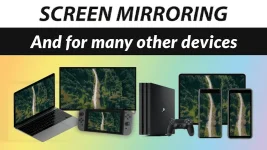
Screen Mirroring App is Useful For Streaming Movies, Videos, Access photos, and apps on the TV screen. You can easily connect your smartphone with your TV wirelessly. You can search for your favorite TV shows and series and easily stream them anytime on your TV screen.
Devices Supported: Smart TVs like LG, Samsung, Sony, TCL, Xiaomi, Hisense, And Any Smart TV.
Features
• Multiple Devices Supported
• Cast to TV and enjoy the best experience of watching videos and movies.
• Simple & fast connection with just a click
• All media files supported, videos, photos, audios, PDFs, etc.
• play the mobile games to your TV screen.
• Fast and easy to use
• Cast phone screen to big TV screen faster.
• Cast Live video on browser.
• Fast connection and easy to use
How To Use
1. Make sure your phone/tablet and smart TV are connected to the same Wi-Fi network.
2. Enable “Wireless display” on your phone.
3. Enable “Miracast” on your smart TV.
4. Search and pair the device.
You do not have permission to view the full content of this post. Log in or register now.
Size: 9.5MB
Screen Mirroring App is Useful For Streaming Movies, Videos, Access photos, and apps on the TV screen. You can easily connect your smartphone with your TV wirelessly. You can search for your favorite TV shows and series and easily stream them anytime on your TV screen.
Devices Supported: Smart TVs like LG, Samsung, Sony, TCL, Xiaomi, Hisense, And Any Smart TV.
Features
• Multiple Devices Supported
• Cast to TV and enjoy the best experience of watching videos and movies.
• Simple & fast connection with just a click
• All media files supported, videos, photos, audios, PDFs, etc.
• play the mobile games to your TV screen.
• Fast and easy to use
• Cast phone screen to big TV screen faster.
• Cast Live video on browser.
• Fast connection and easy to use
How To Use
1. Make sure your phone/tablet and smart TV are connected to the same Wi-Fi network.
2. Enable “Wireless display” on your phone.
3. Enable “Miracast” on your smart TV.
4. Search and pair the device.
You do not have permission to view the full content of this post. Log in or register now.


