Hello! I'm happy to help. Driver Power State Failure is a common issue in Windows 10 and can be caused by various reasons, such as outdated drivers, conflicts between drivers, hardware issues, or corrupt system files. Here are some steps you can take to fix the issue:
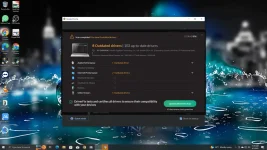
1. Update Drivers: You can update your device drivers by going to the device manufacturer's website and downloading the latest drivers from there. Alternatively, you can use a driver update tool to automate the process.
2. Check Hardware: If the problem persists, you can check your hardware components to see if there are any issues. You can try running a hardware diagnostic test using the built-in Windows Memory Diagnostic tool or any third-party tool.
3. Repair System Files: Corrupt system files can also cause driver power state failure errors. You can try repairing the system files by running the System File Checker tool. Open the Command Prompt as an administrator and type "sfc /scannow" and press Enter.
4. Disable Fast Startup: Fast Startup is a feature in Windows 10 that can cause issues with some drivers. You can try disabling it by going to Power Options > Choose what the power button does > Change settings that are currently unavailable > Uncheck "Turn on fast startup" > Save changes.
5. Restore to a Previous State: If nothing works, you can try restoring your system to a previous state. Open the System Restore tool and select a restore point when your computer was working fine.
I hope these steps help you fix the issue. Let me know if you have any further questions or concerns.
 PH
PH