PH
PHDownload ADOBE PHOTOSHOP BETA and ρá†ch USING Adobe-GenP
Create Adobe Account or kung meron na kayo,
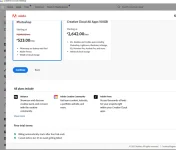
DOWNLOAD NYO NALANG ADOBE PHOTOSHOP BETA sa Adobe Creative Cloud
Download Adobe-GenP at the link below
You do not have permission to view the full content of this post. Log in or register now.
PW: thankyou in our language
After Downloading, Extract!
Open "Release" folder

Click "AdobeGenP"

This tab will come out
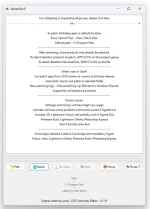
Click search!
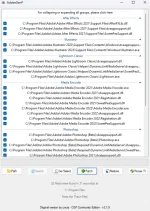
Adobe-GenP will search all of your Adobe Apps. Capable din sya magpatch ng ibang apps ng Adobe not only Beta.
Pero kung yung Beta apps lang gusto mo ipatch then just select only the Adobe Photoshop Beta!
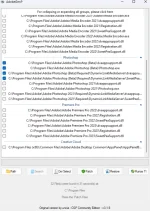
after that Click ρá†ch!
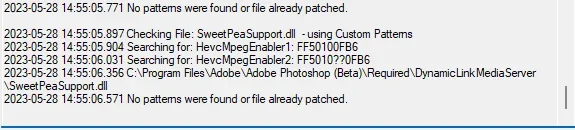
Wait mo lang mapatch lahat ng Files, makikita mo naman sa "logs" kung succesfully sya na napatch!
Mine is Tapos ko nakasi napatch KO NA SYA DATI kaya ganyan nagpakita
and after that "OPEN PHOTOSHOP BETA"

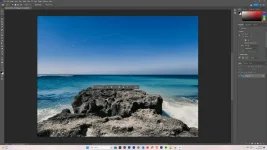
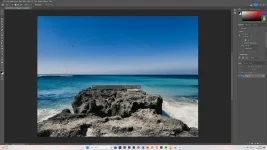
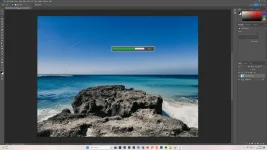
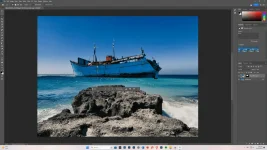
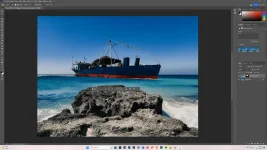
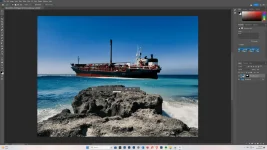
AND THATS IT ENJOY GENERATIVE FILL!
THIS IS MY 1ST TUTORIAL, I HOPE IT HELPS! PACOMMENT KUNG WRONG SECTION! THANKYOU!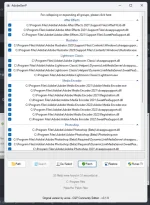
Create Adobe Account or kung meron na kayo,
DOWNLOAD NYO NALANG ADOBE PHOTOSHOP BETA sa Adobe Creative Cloud
Download Adobe-GenP at the link below
You do not have permission to view the full content of this post. Log in or register now.
PW: thankyou in our language
After Downloading, Extract!
Open "Release" folder
Click "AdobeGenP"
This tab will come out
Click search!
Adobe-GenP will search all of your Adobe Apps. Capable din sya magpatch ng ibang apps ng Adobe not only Beta.
Pero kung yung Beta apps lang gusto mo ipatch then just select only the Adobe Photoshop Beta!
after that Click ρá†ch!
Wait mo lang mapatch lahat ng Files, makikita mo naman sa "logs" kung succesfully sya na napatch!
Mine is Tapos ko nakasi napatch KO NA SYA DATI kaya ganyan nagpakita
and after that "OPEN PHOTOSHOP BETA"
AND THATS IT ENJOY GENERATIVE FILL!
THIS IS MY 1ST TUTORIAL, I HOPE IT HELPS!
PACOMMENT KUNG WRONG SECTION! THANKYOU!