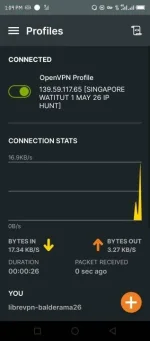
🔒 Closed [OPENVPN] UPDATE! MAY 26 SINGAPORE DIGITAL OCEAN SERVER | [ANDROID/MODEM]

Status
Not open for further replies.

PHC-Balderama

Forum Veteran
standard (1).gif
You do not have permission to view the full content of this post. Log in or register now.
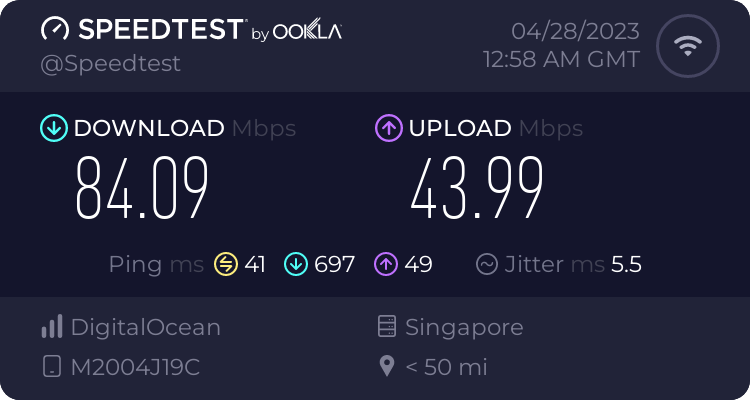
Speedtest SGDO Server
9235753809.png

HOW TO CONNECT?

Before connecting, always perform IP HUNT. SECOND, review your OpenVPN settings and change the connection timeout to "Continuously retry". FINALLY, you're ready to connect. Just hit connect and wait for it to connect; it may take up to two minutes to connect, so please be patient. Credits to Mr. Mamouro <3

Maraming salamat po sa lahat ng sumusuporta sa akin simula una!

 
salamat sa pag share ts
Salamat boss
thanks po
Para saan ung pasword sa modem boss?
Salamat sa pagbahagi bossing... 👍

View attachment 2657954
Salamat po
Thank you
ano po sample wan IP na working newbie lang po sa ovpn thanks po sa sasagot.
Salamat sa pag update boss
walang anuman po mga lodi, maraming salamat po sa feedback! <3

Para saan ung pasword sa modem boss?
username at password po para sa modem kasi manually nyo po yan ilalagay

ano po sample wan IP na working newbie lang po sa ovpn thanks po sa sasagot.
nagi iba po kasi yan, depende rin po sa area pero sa akin po ngayon 100.90.xxx.xxx yan po WAN IP
 
Status
Not open for further replies.

About this Thread

  • 26
    Replies
  • 1K
    Views
  • 21
    Participants
Last reply from:
PHC-Balderama

Online now

Members online
409
Guests online
988
Total visitors
1,397

Forum statistics

Threads
2,273,593
Posts
28,950,484
Members
1,235,847
Latest member
eevaliceturtle
Back
Top